I have started to develop a little macro collection with little quality of life improvements for the Sovol SV08 Mini 12864 screen.
Version 1:
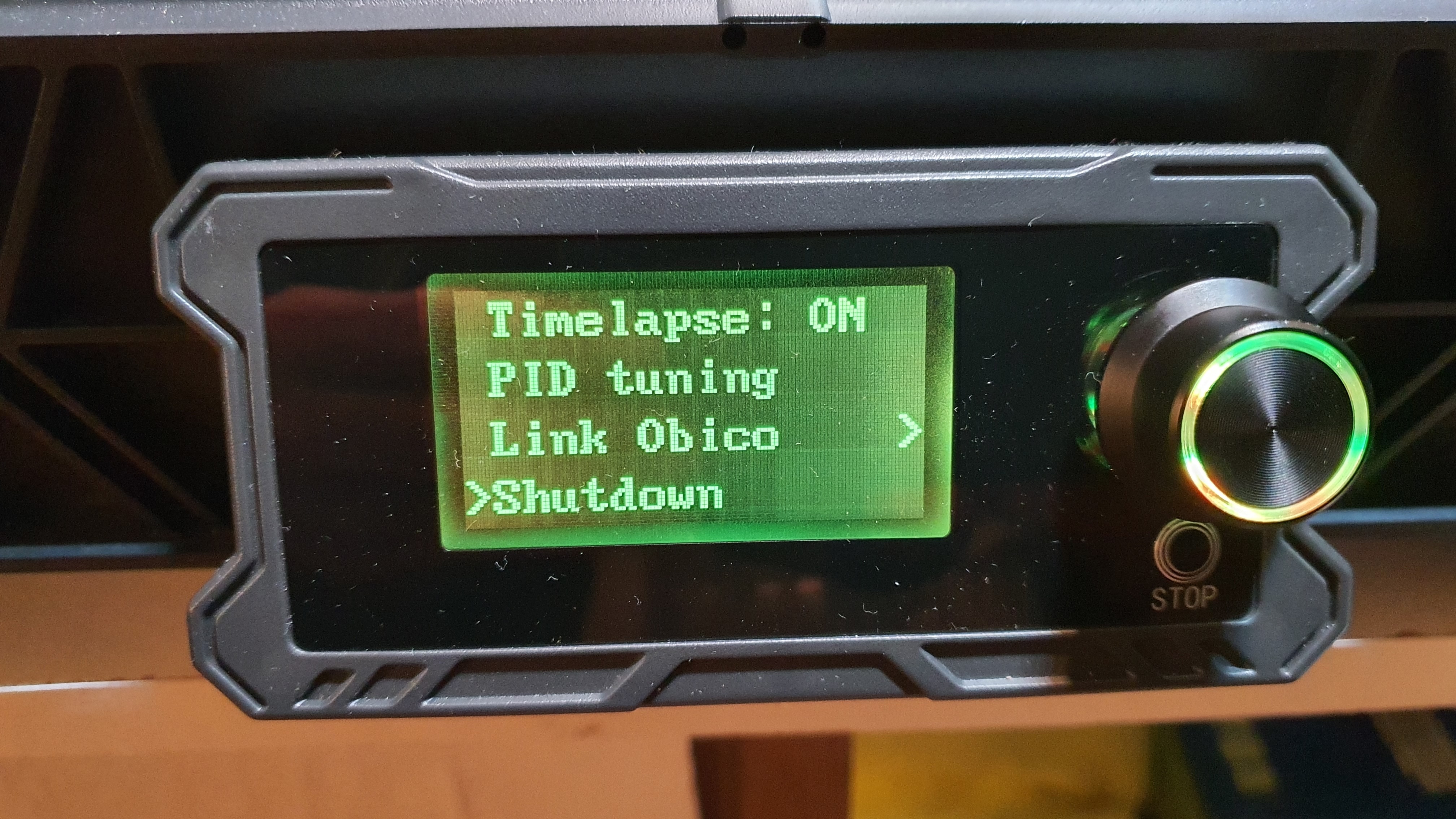
Advanced > Shutdown: turn off extruder/bed heating, turn on the part fan to cool nozzle below 70°C if necessary, then turn off LED light and carry out a proper shutdown. Flip the power switch when the message "Turn off now" appears on the mini screen
Prepare>Bed: for some reason there was no separate option to control the bed temperature from the Mini screen. I've now added the option.
Version 2:
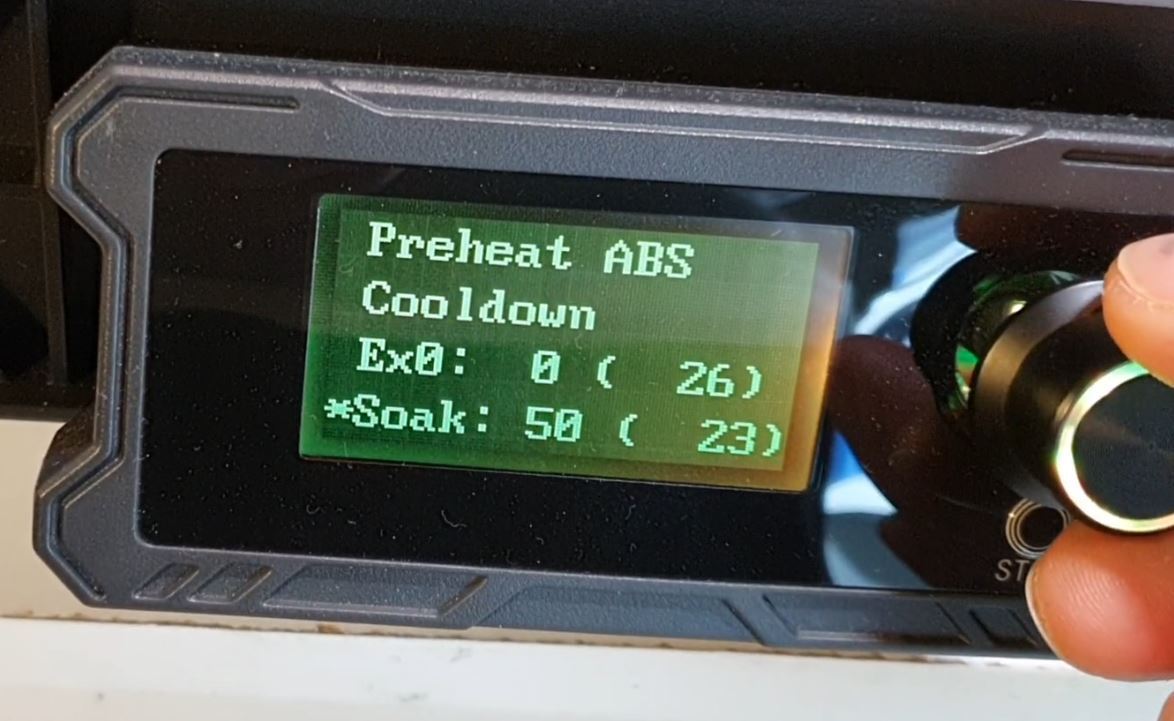
Prepare>Soak: is an improved version of Prepare>Bed from v1, where the print head will also move close to the print bed to allow the inductive probe to warm up for better precision. Print-head homed to center, lowered 5mm close to the print bed and motors are disengaged.
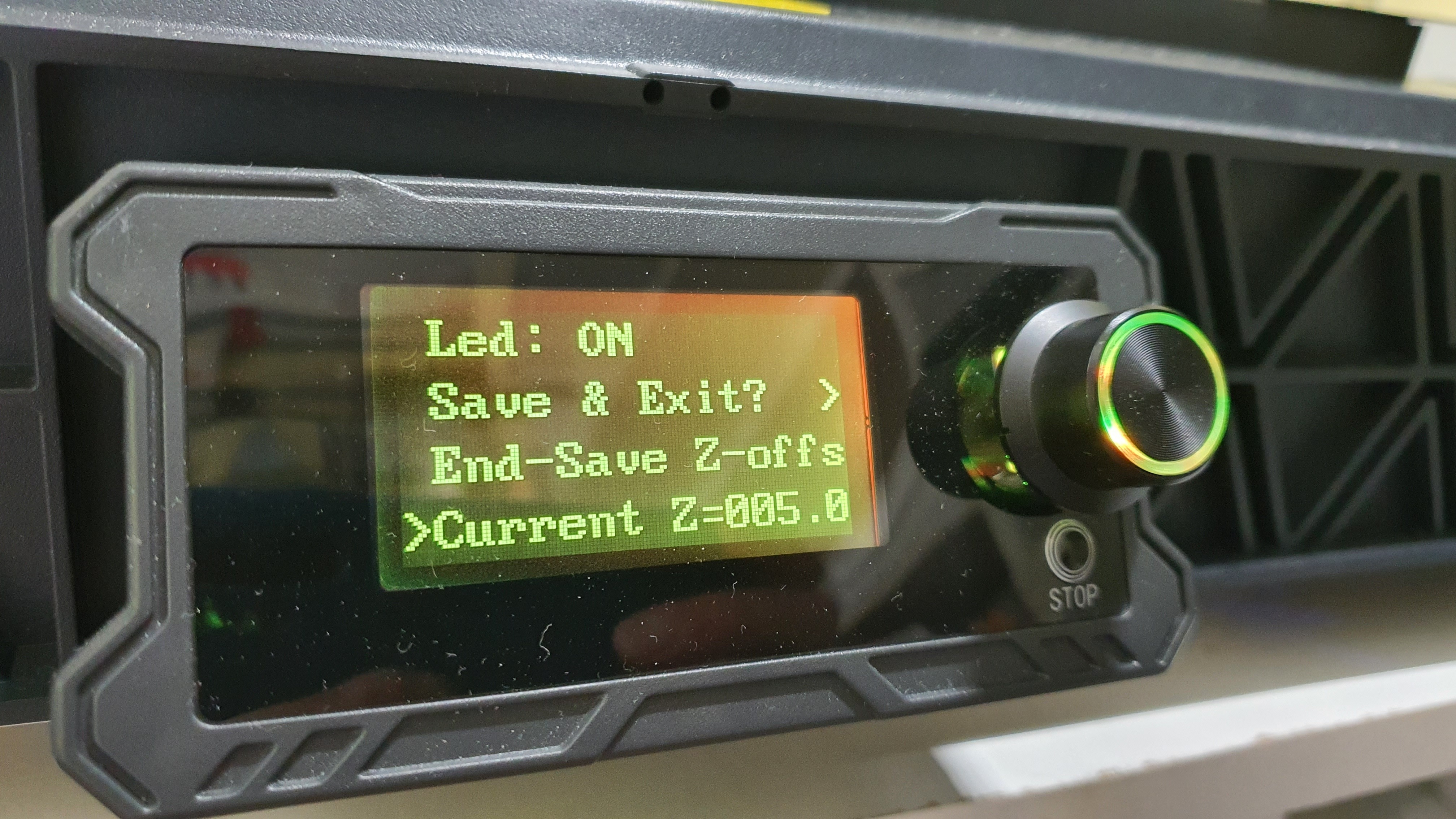
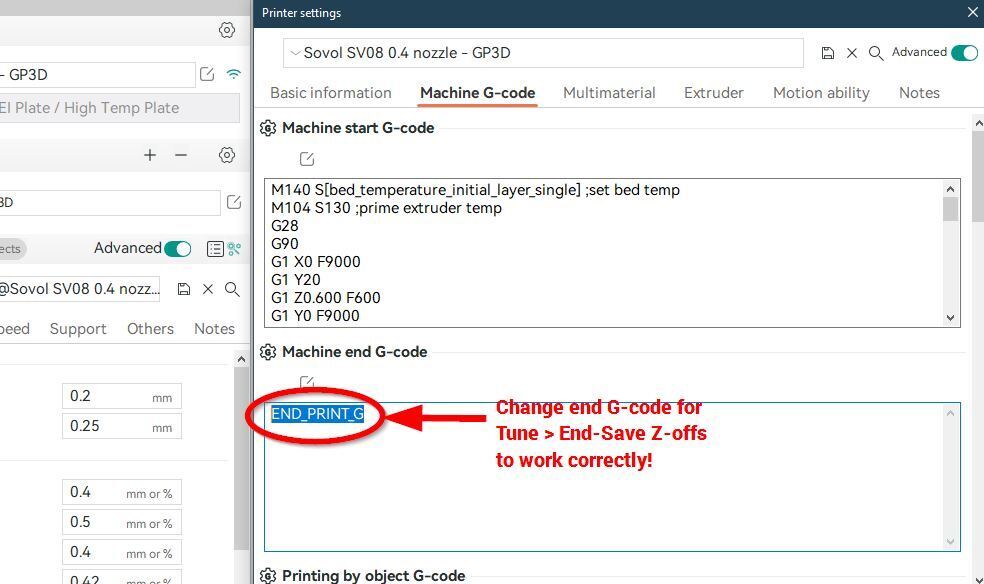
Tune>End-Save Z-offs will save your adjusted Z-offset at the end of the print. If you don't save the offset, it is only temporary for the current session. The original option "Save & Exit" WILL RESTART THE PRINTER (!) - I moved this command behind a confirmation level. Important: for this to work, change your End G-code in the slicer to END_PRINT_G.
Tune>Current Z= shows you the Z height during print (you can also change, but NOT recommended!)
Version 3:
Tiny update: A) You can now cancel the "Heat soak" command if you set <=25°C (it was annoying if we accidentally selected the command). B) changed "Current Z" to "Z Now" to make room for more digits of the Z-height on the small screen.
All explained in my youtube video
Version 4
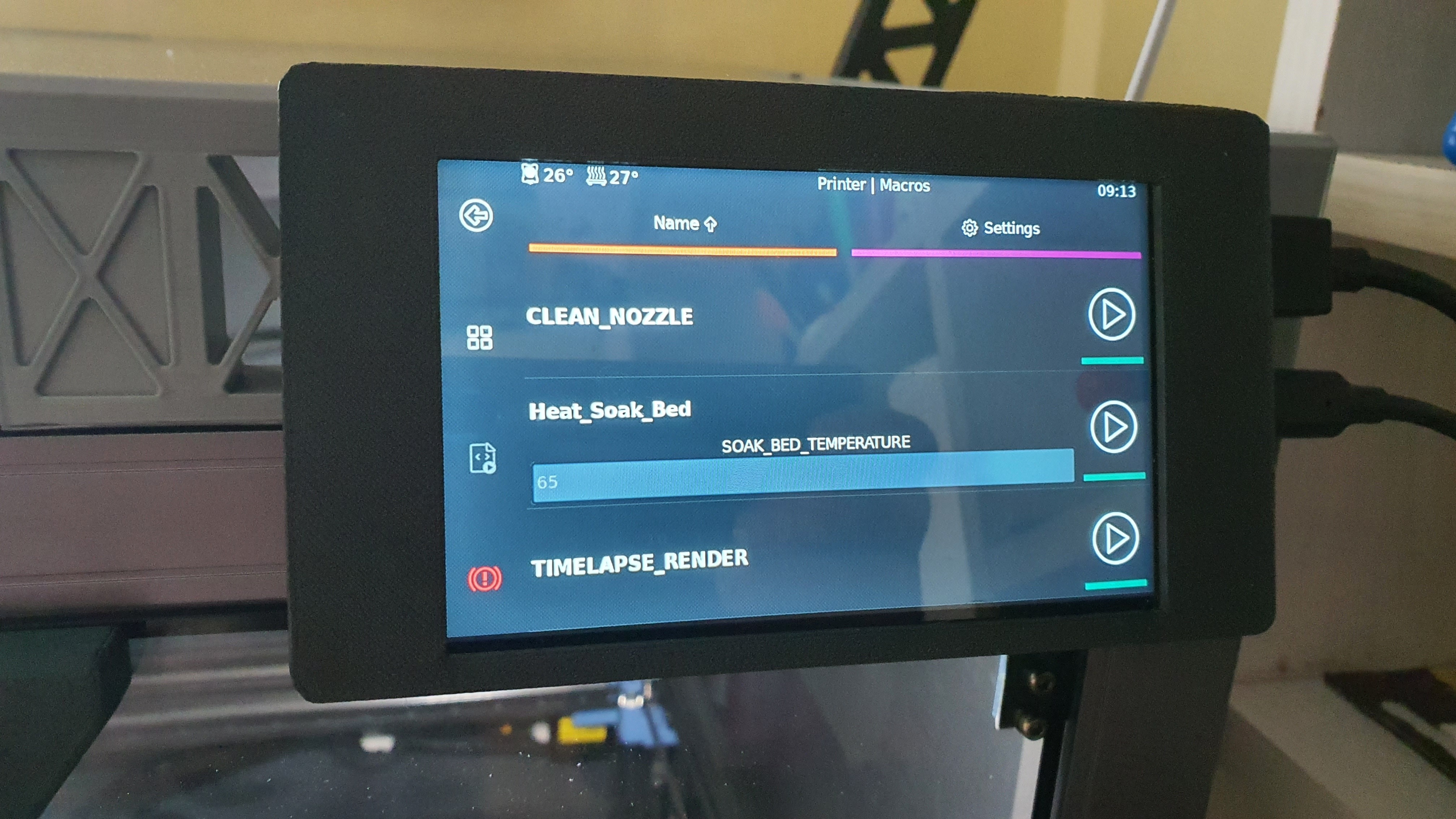
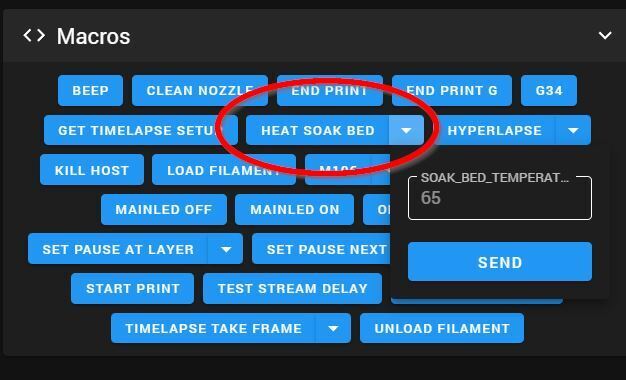
Added Heat_Soak_Bed macro to MainSail / HDMI Screen interface. Default temp 65°C but you can adjust on both.
(Install Version 4 unless you need to roll back)
Update 5:
A) Added "Spool holder 'clutch' ring.STL" to make the spool holder adjustable smoothness
B) Added "SV08 extuder cover harness.STL", a removable clamp around the toolhead to secure its cover.
For details watch 5 easy upgrades to make SV08 more reliable (on Youtube)
Update 6: Added 0.8mm Orca Slicer presets as discussed in video https://youtu.be/sOknzwXCks4
Update 7: I added two text-files to help you copy-paste the start and end g-codes into Orca Slicer's Printer Settings > Machine G-code page for the macros and bed heating macro changes to work correctly. Open the text files in a text editor, select, copy, and paste them into the corresponding fields (as shown in one of my screenshots here).
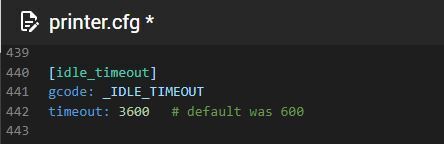
Update 8: Version 5 of GP3D_Macro.cfg (in zip file named GP3D_Macro_v5.zip) contains updated CLEAN_NOZZLE and START_PRINT macros and updated probe_eddy_current.py python module to correct the stock Sovol routines which come with the Sovol Eddy Sensor Kit. Do not update these files if you are not using Sovol's Eddy upgrade. Steps to install V5:
1. Add the include line as described below
2. Rename original START_PRINT and CLEAN_NOZZLE in Macro.cfg to START_PRINT_SOVOL and CLEAN_NOZZLE_SOVOL, otherwise you will get a Klipper error!
3. Using WinSCP navigate to /home/sovol/klipper/klippy/extras/ and repalce probe_eddy_current.py with the supplied version
4. Reboot printer
5. Issue the newly enabled command AXIS_TWIST_COMPENSATION_CALIBRATE if you need it.
6. Replace the start g-code in Orca Slicer with the included one (in GP3D_Macro_v5.zip) Open in text-editor and copy/paste.
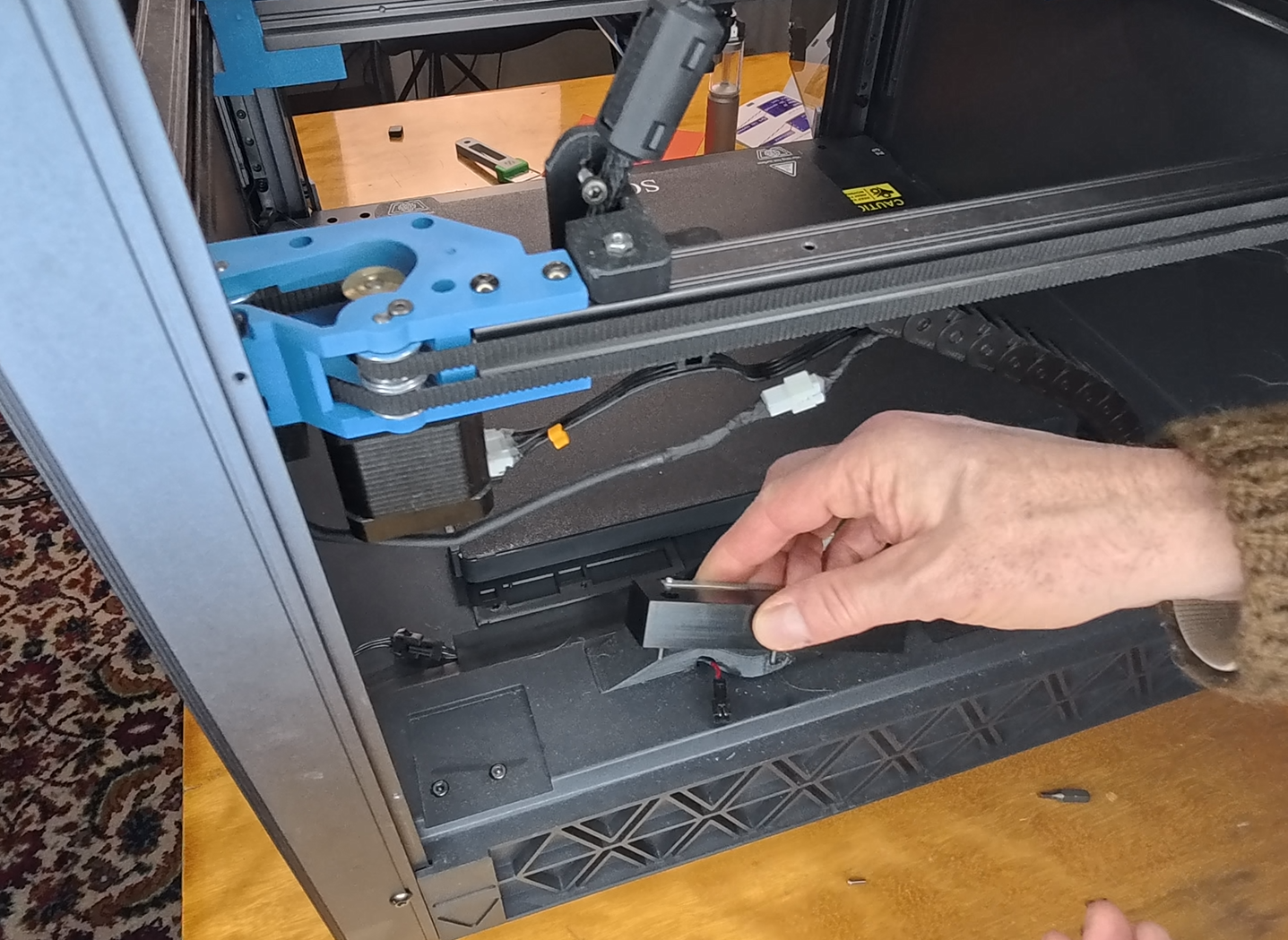
7. Print SV08 Eddy Cleaning Block Riser.stl and place it under the cleaning block. Make sure to use the updated CLEAN_NOZZLE macro!
For details refer to the video: https://youtu.be/_8s5GblohSo
I am sure I will add more as I keep using this printer.
:format(webp)/https://fbi.cults3d.com/uploaders/22944044/illustration-file/24db006a-e519-43b6-8099-5b7f85a0289f/2024-05-16-11_30_07-20240515_170811.mp4.jpg)

/https://preview3d-images.cults3d.com/r0accouvcejgx8gt5r82cc9y3xfk)
/https://preview3d-images.cults3d.com/nsm9981r2x9zzi46svaxmy4ve52c)
/https://preview3d-images.cults3d.com/4m18pdol94sk9wblyj8dlh3s6h34)



:format(webp)/https://fbi.cults3d.com/uploaders/22944044/illustration-file/61704c9c-63d4-41bc-bc56-6bd6eb1f330a/thumbs.jpg)
:format(webp)/https://fbi.cults3d.com/uploaders/22944044/illustration-file/9f2b3c3c-97a7-41a8-a478-526f93ed0492/v3-photo.jpg)
:format(webp)/https://fbi.cults3d.com/uploaders/22944044/illustration-file/88a72956-9f76-47f8-9931-841cc473fd61/20231117_231139.jpg)
:format(webp)/https://fbi.cults3d.com/uploaders/22944044/illustration-file/072fdbdc-c2e9-4147-8d54-dbb7f5c1001c/t300-z-tilt-via-knob-cults3d.jpg)
:format(webp)/https://fbi.cults3d.com/uploaders/22944044/illustration-file/7d6cd0bd-36e7-457b-a17a-be4d17844d07/2024-03-21-09_10_31-20240321_085655.jpg-IrfanView-Zoom_-1732-x-974.jpg)
:format(webp)/https://fbi.cults3d.com/uploaders/22944044/illustration-file/c505c4c3-df73-45ae-b487-fc1da8b14a60/20240808_135414.jpg)
:format(webp)/https://fbi.cults3d.com/uploaders/22944044/illustration-file/e98bdb6b-4d9c-47a2-9f11-3b258c1c3505/20250411_113459.mp4_snapshot_01.09.098.jpg)
:format(webp)/https://fbi.cults3d.com/uploaders/22944044/illustration-file/fe81e678-9e2b-457a-84be-8c5e6094c474/20250623_115012.jpg)