NEW: 2025-12-13 Multiboard side adapter addon-on. https://makerworld.com/en/models/2113394-h2c-h2d-h2s-d3p-riser-multiboard-adapter#profileId-2286661
NEW: Have a look at Dirt-E-Bikes excellent video about the D3P riser and other risers. https://www.youtube.com/watch?v=MLQvEFuRu9Y
Also, get a free model consisting in a custom insert for the H2C-H2D and H2S D3P riser drawers (it is a 4x5 grid but you can add a 1x5 custom insert too). To get a free code you need to get the coupon code by watching Dirt-E-Bikes video (see above link). Link for custom insert (Hint: use the code - no need to pay for the model) : https://cults3d.com/en/3d-model/tool/p2s-drawer-insert
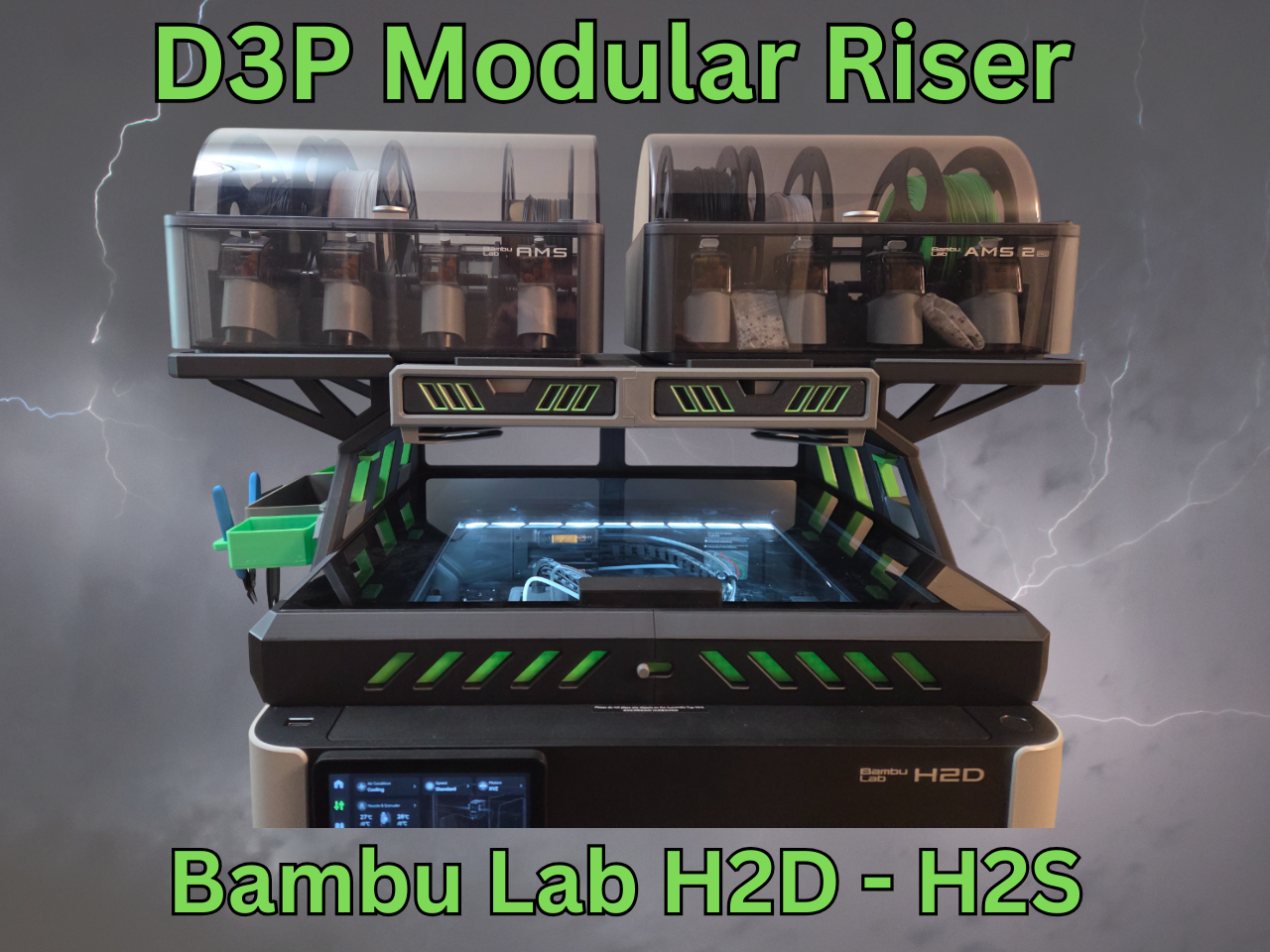
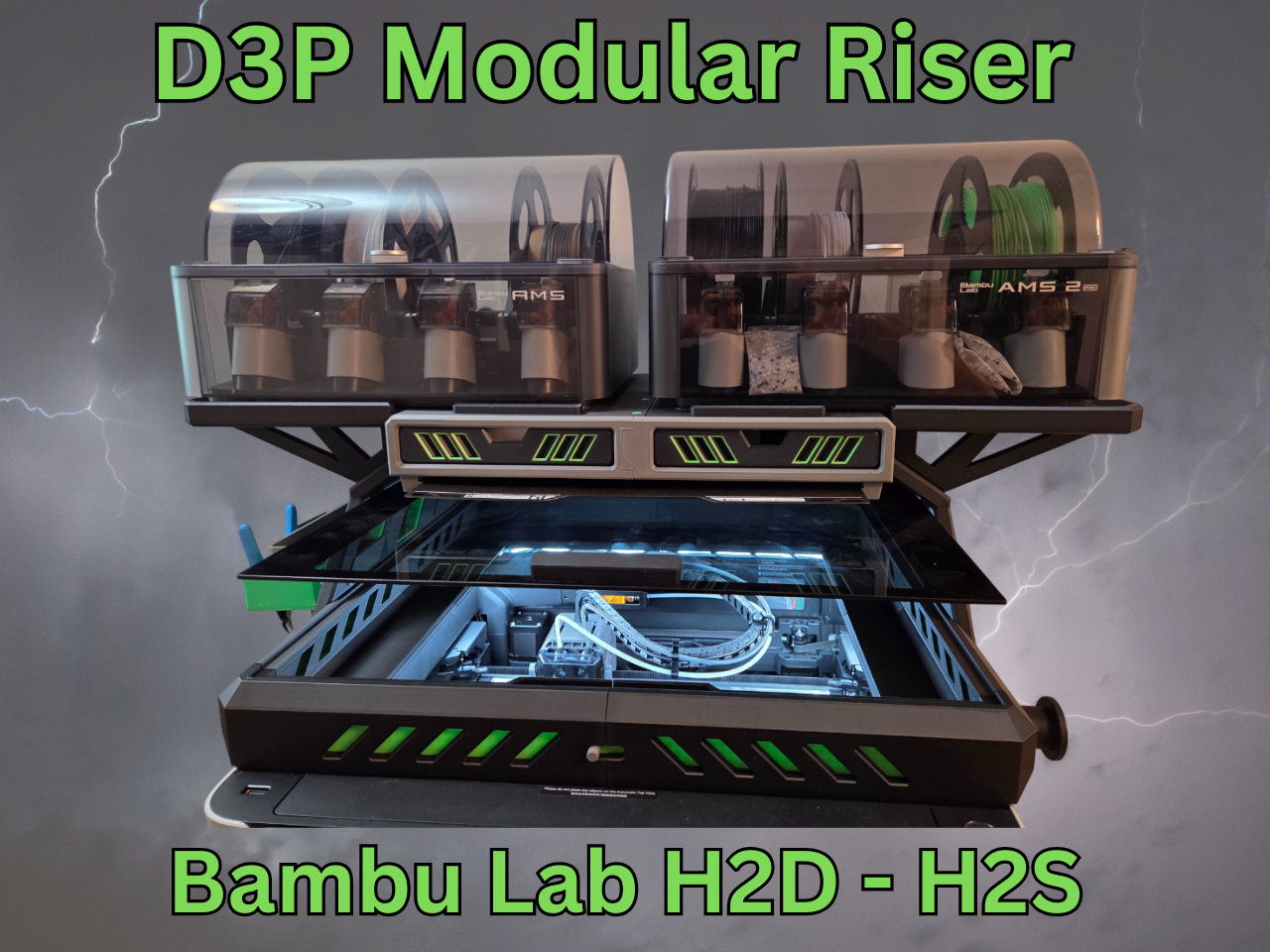
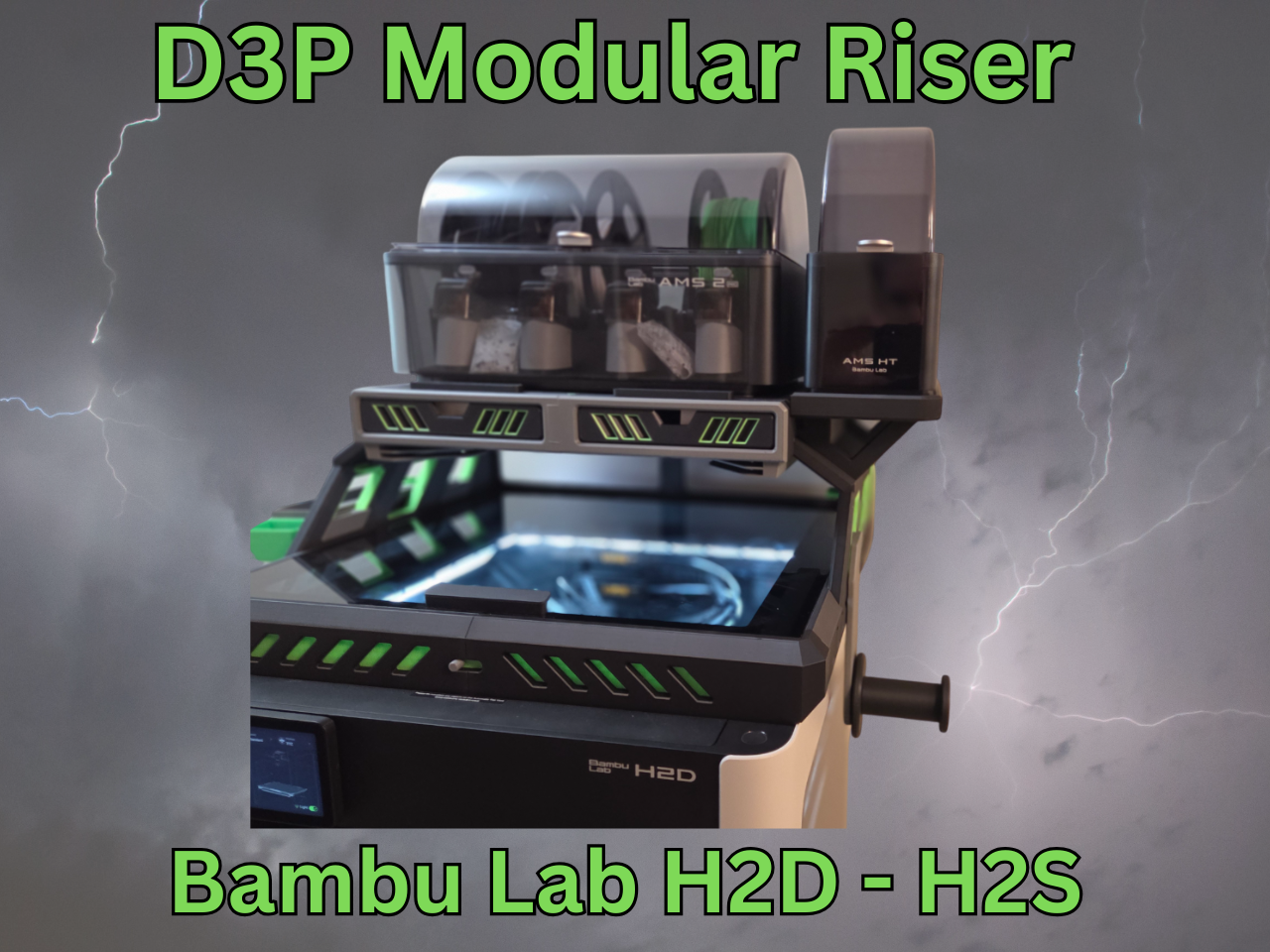
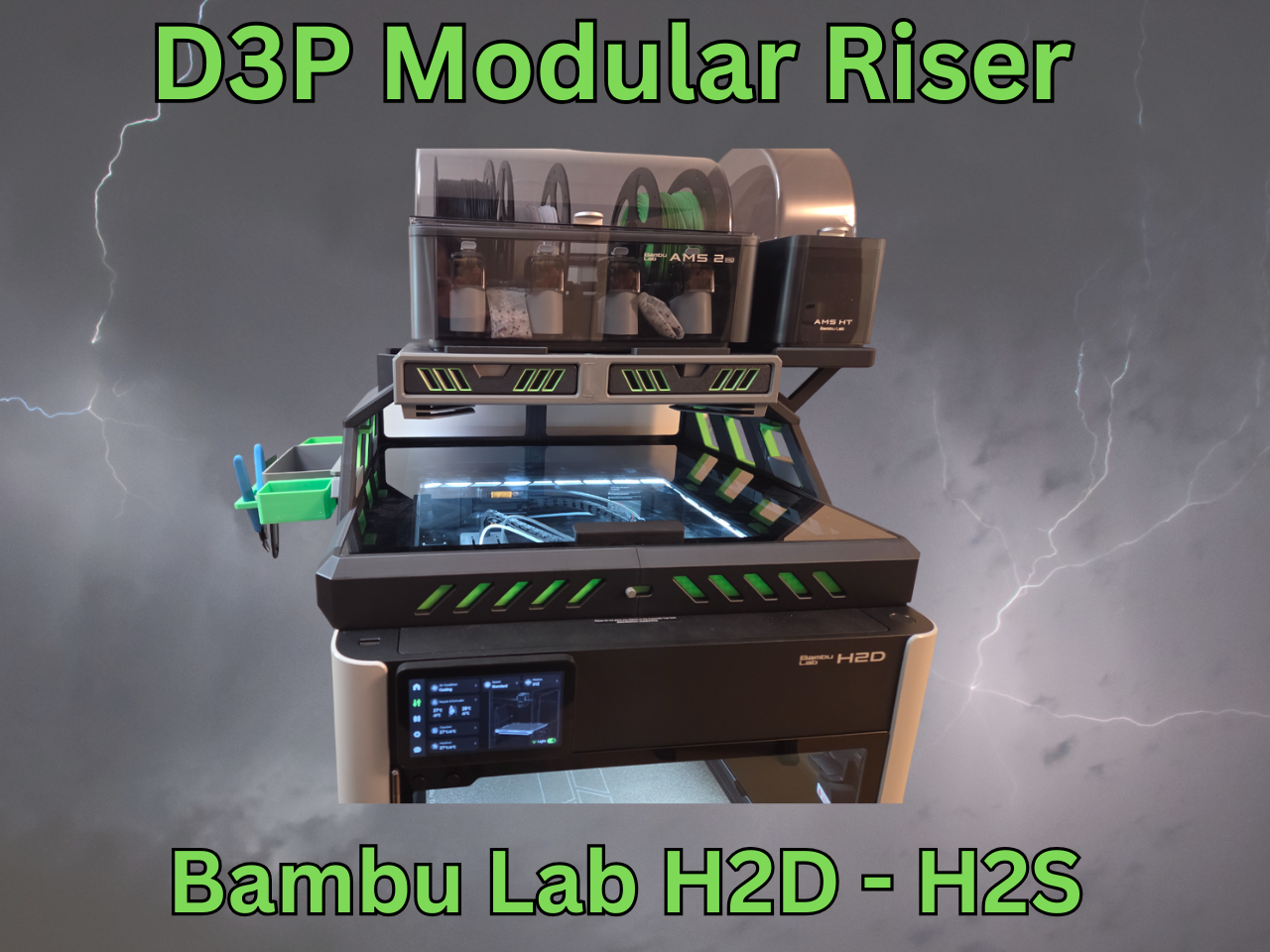
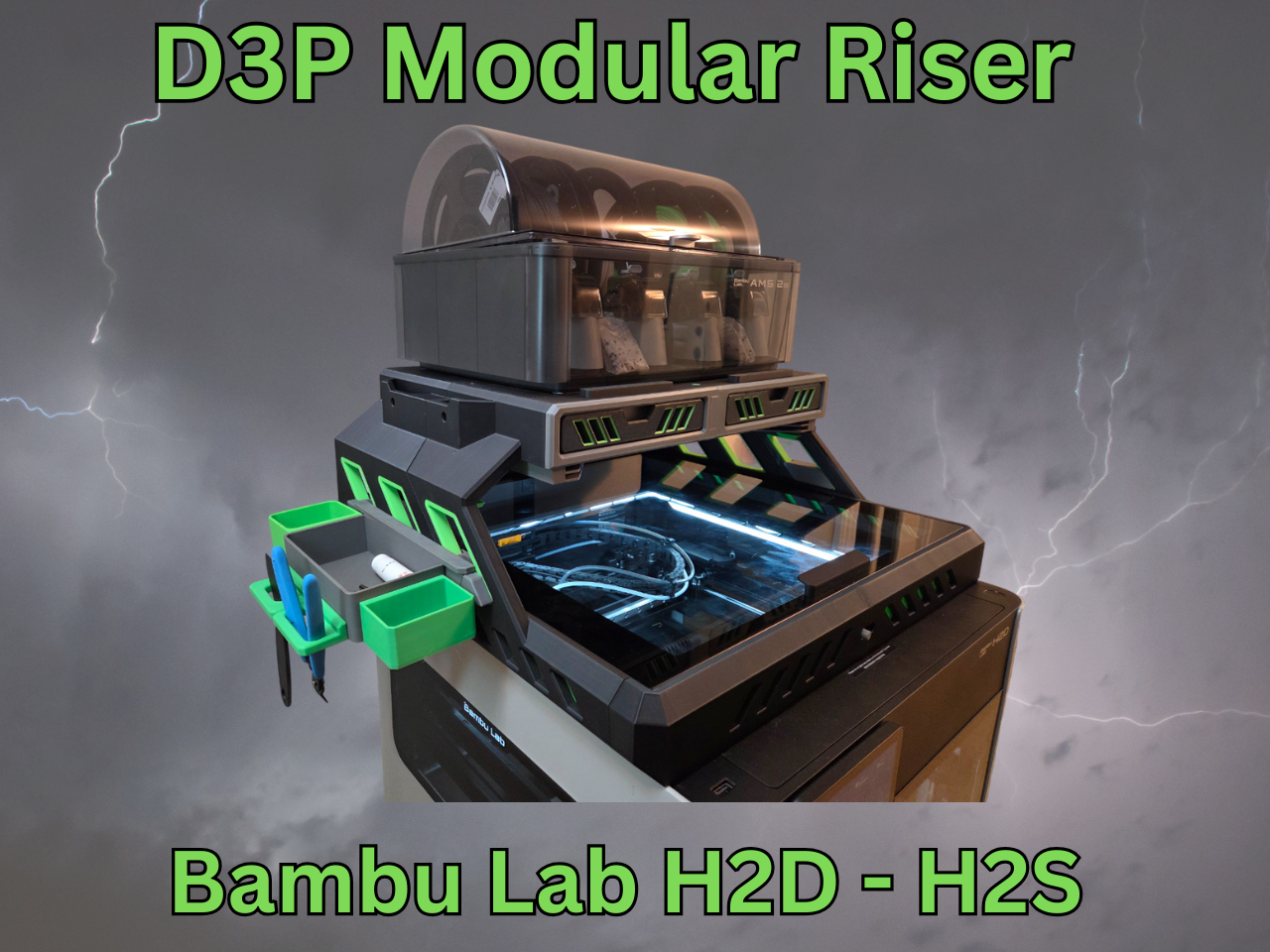
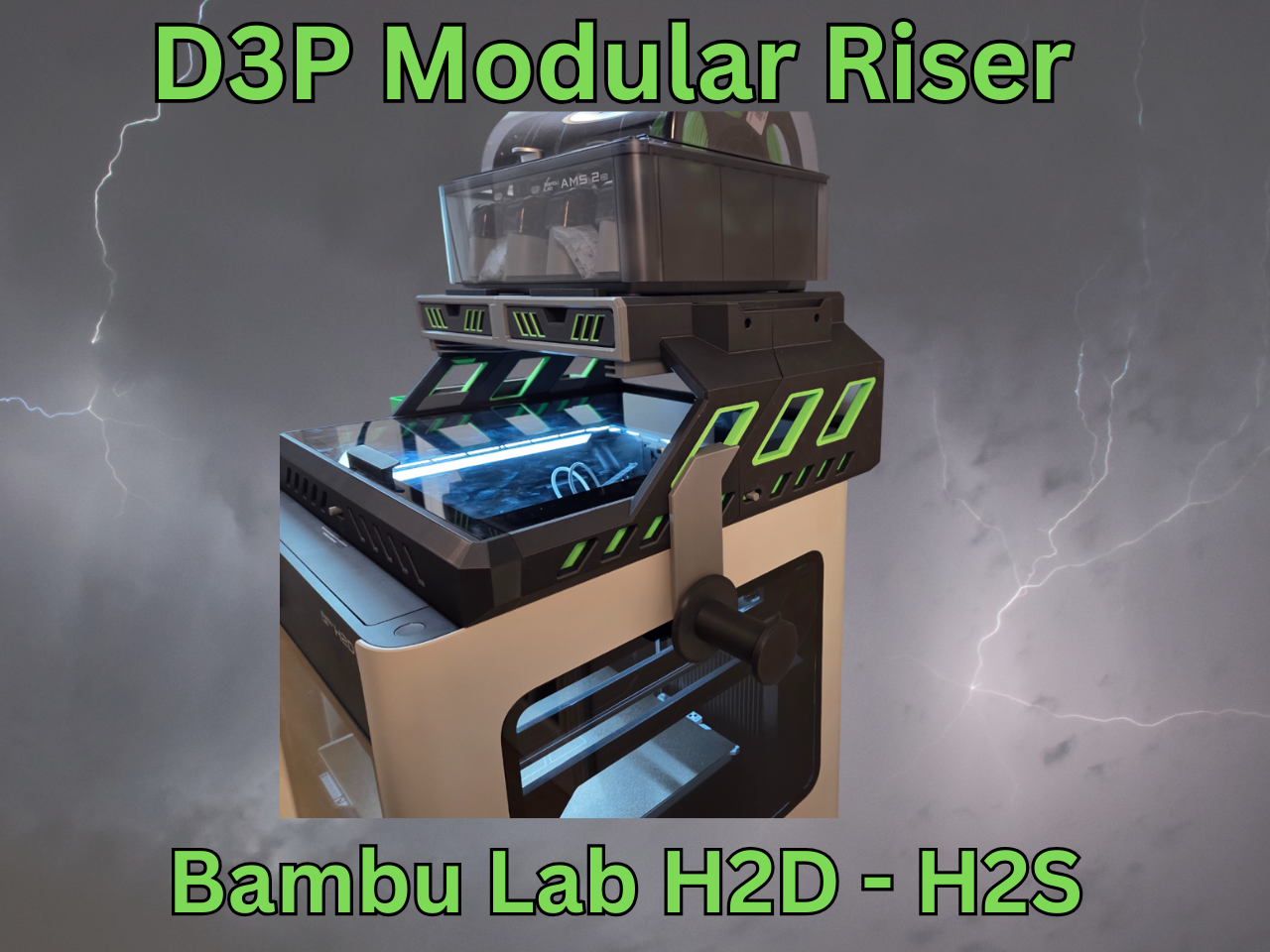
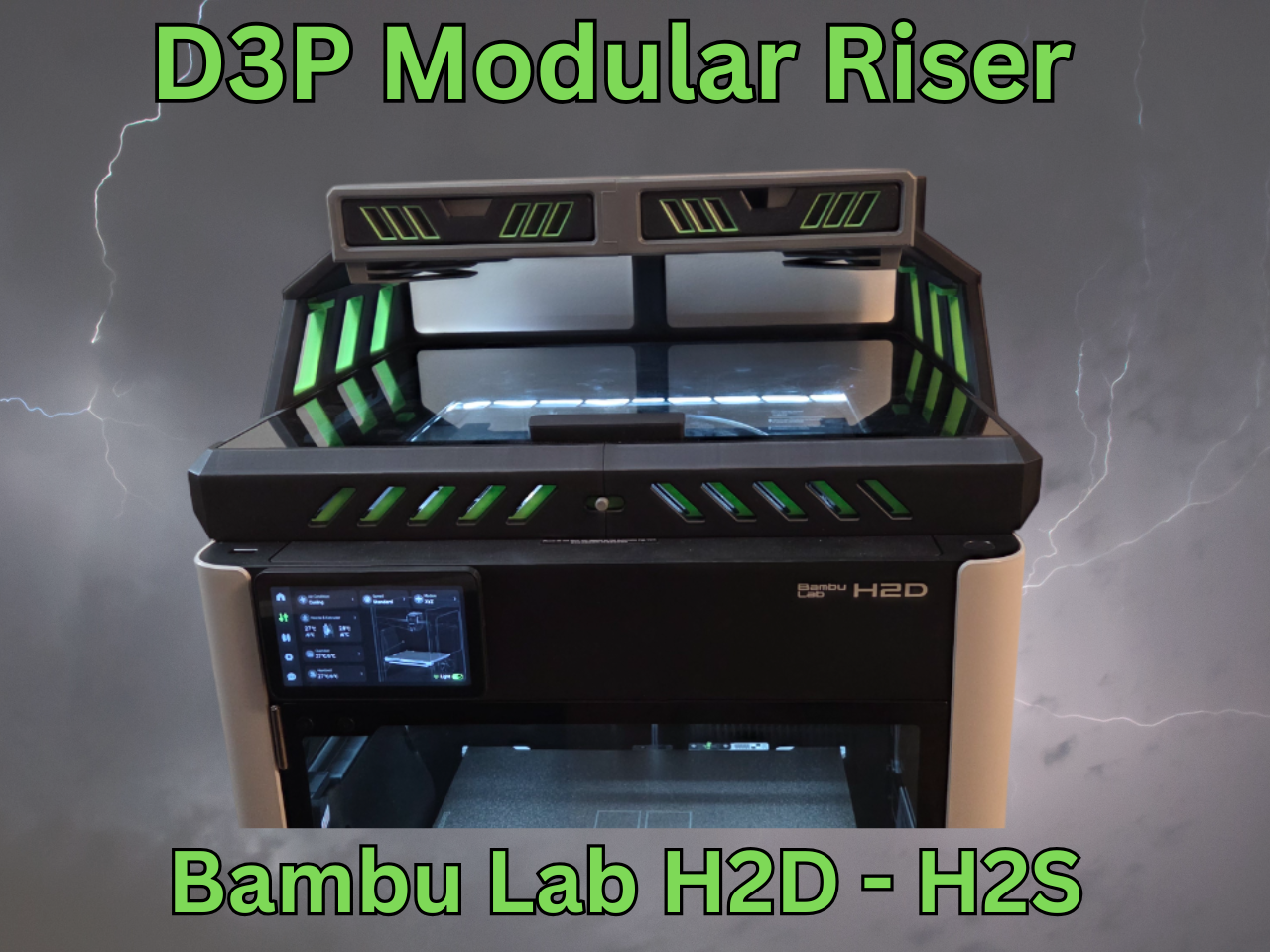
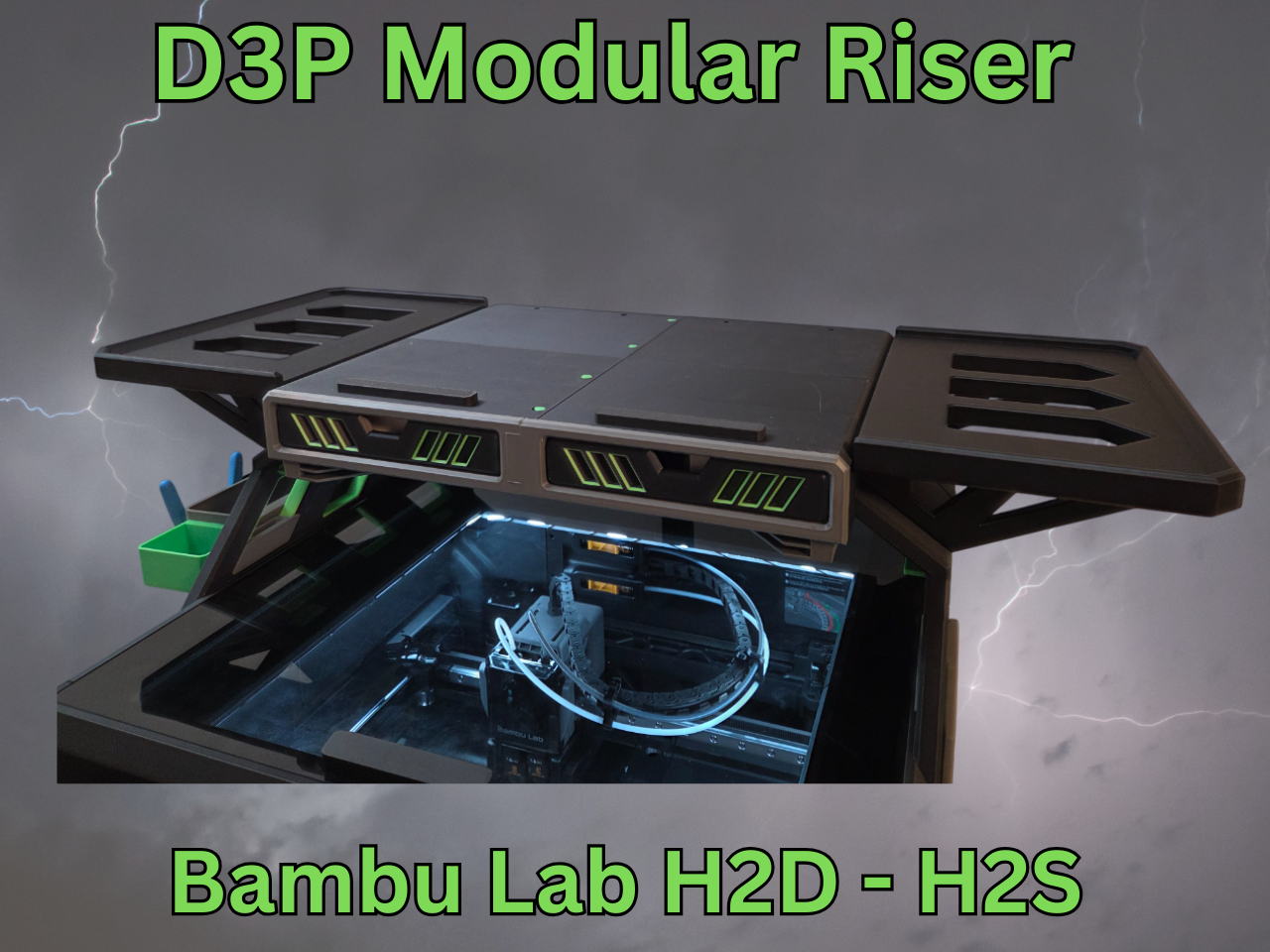
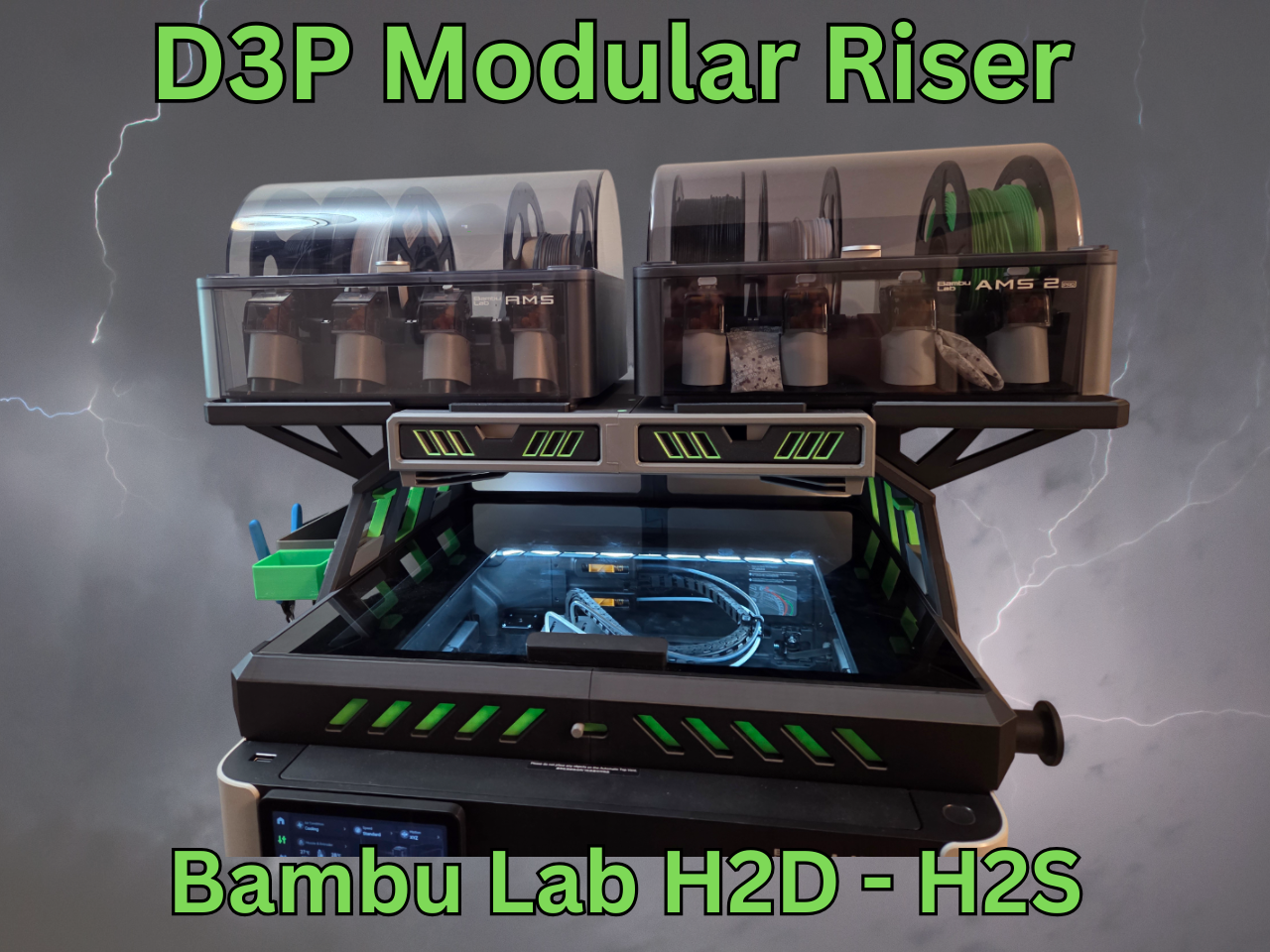
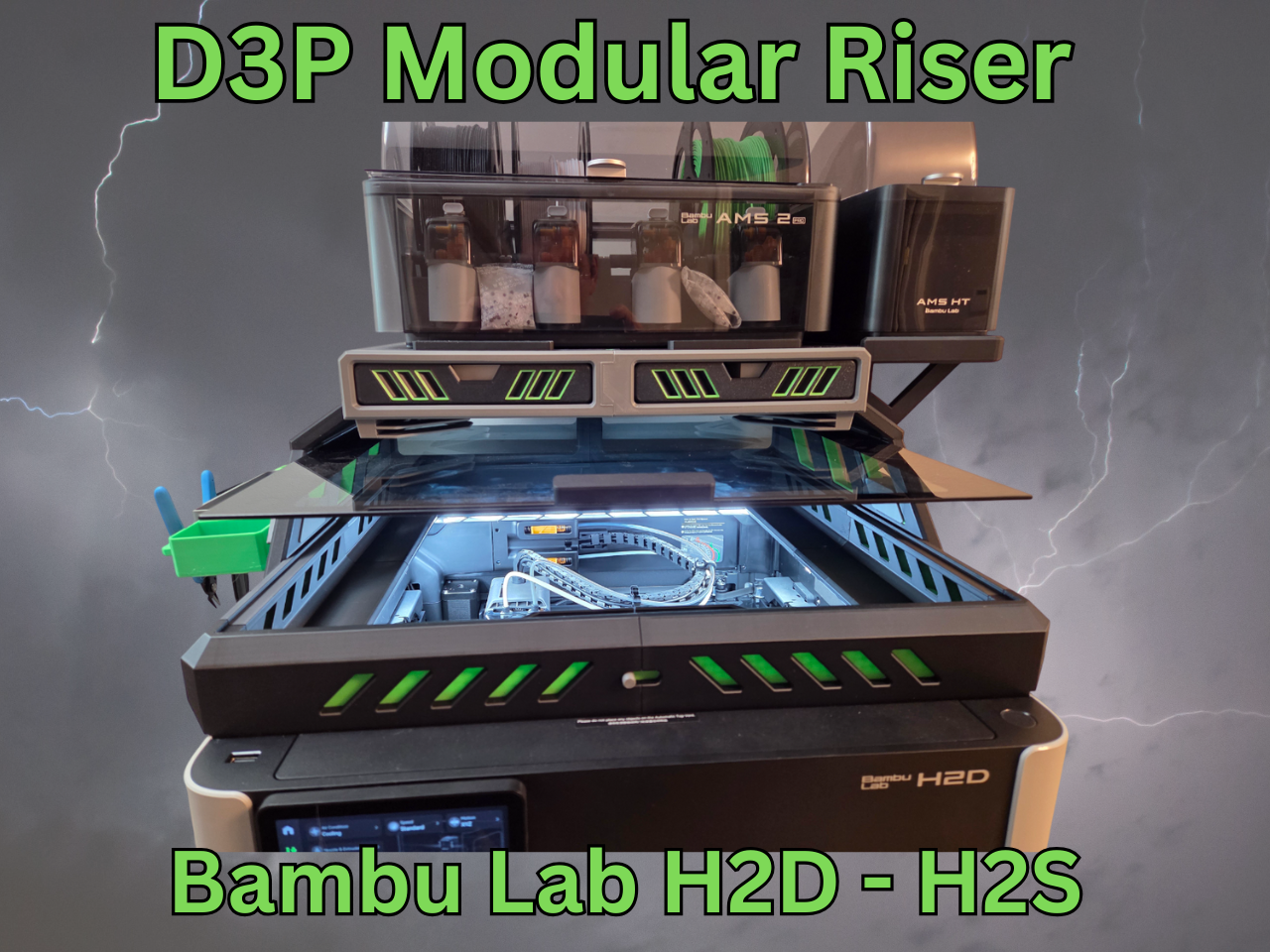
D3P RISER FOR BAMBU LAB H2D - H2S - H2C by Darren 3d Print
Note: The model is also available on Creality cloud should you not be able to purchase it here: https://www.crealitycloud.com/model-detail/bambu-h2d-h2s-d3p-riser?source=22
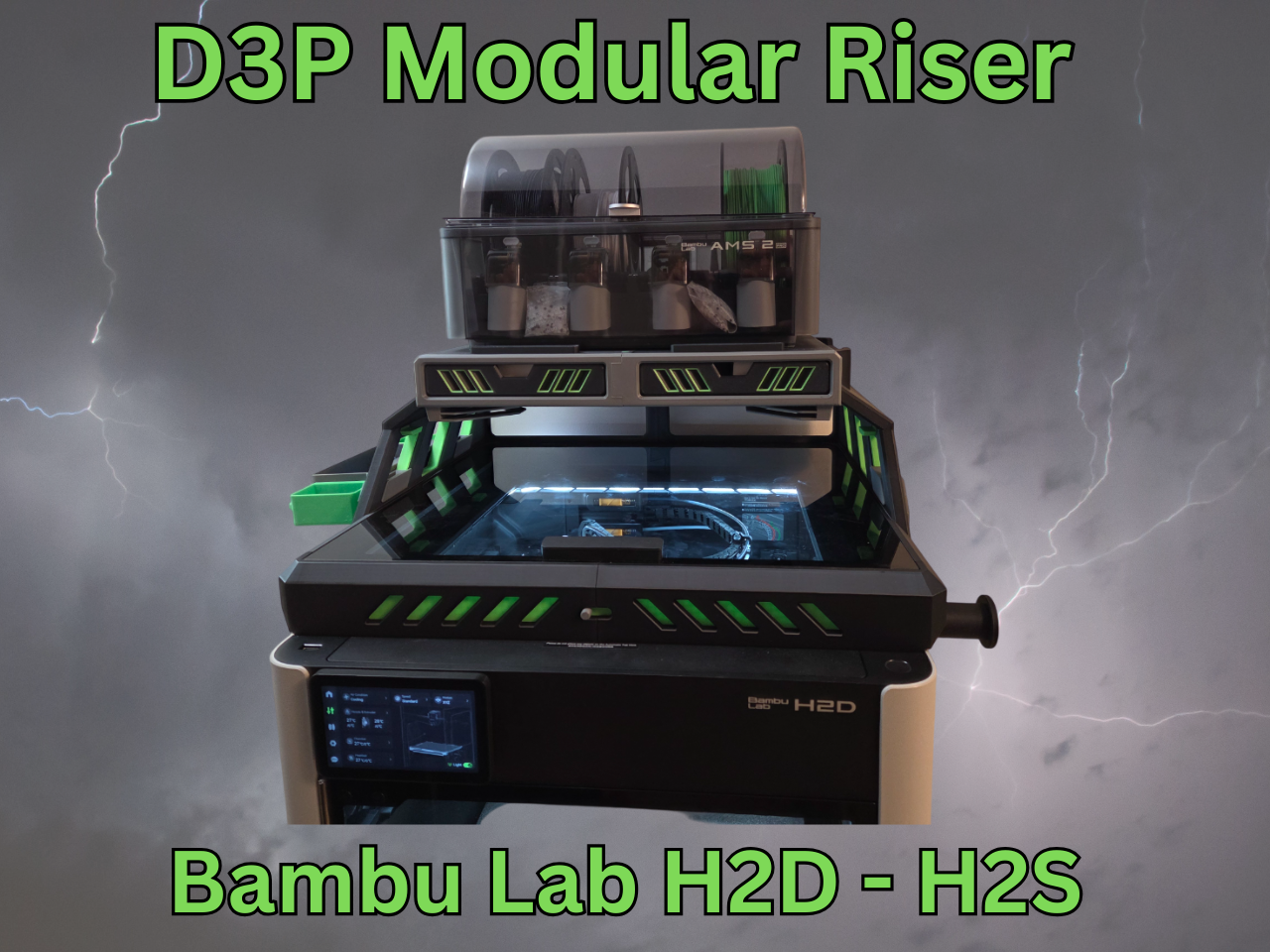
Having designed a number of risers, I wanted one that offered it all, was modular for customization and also could be easily upgraded in the future. The result is my D3P riser system.
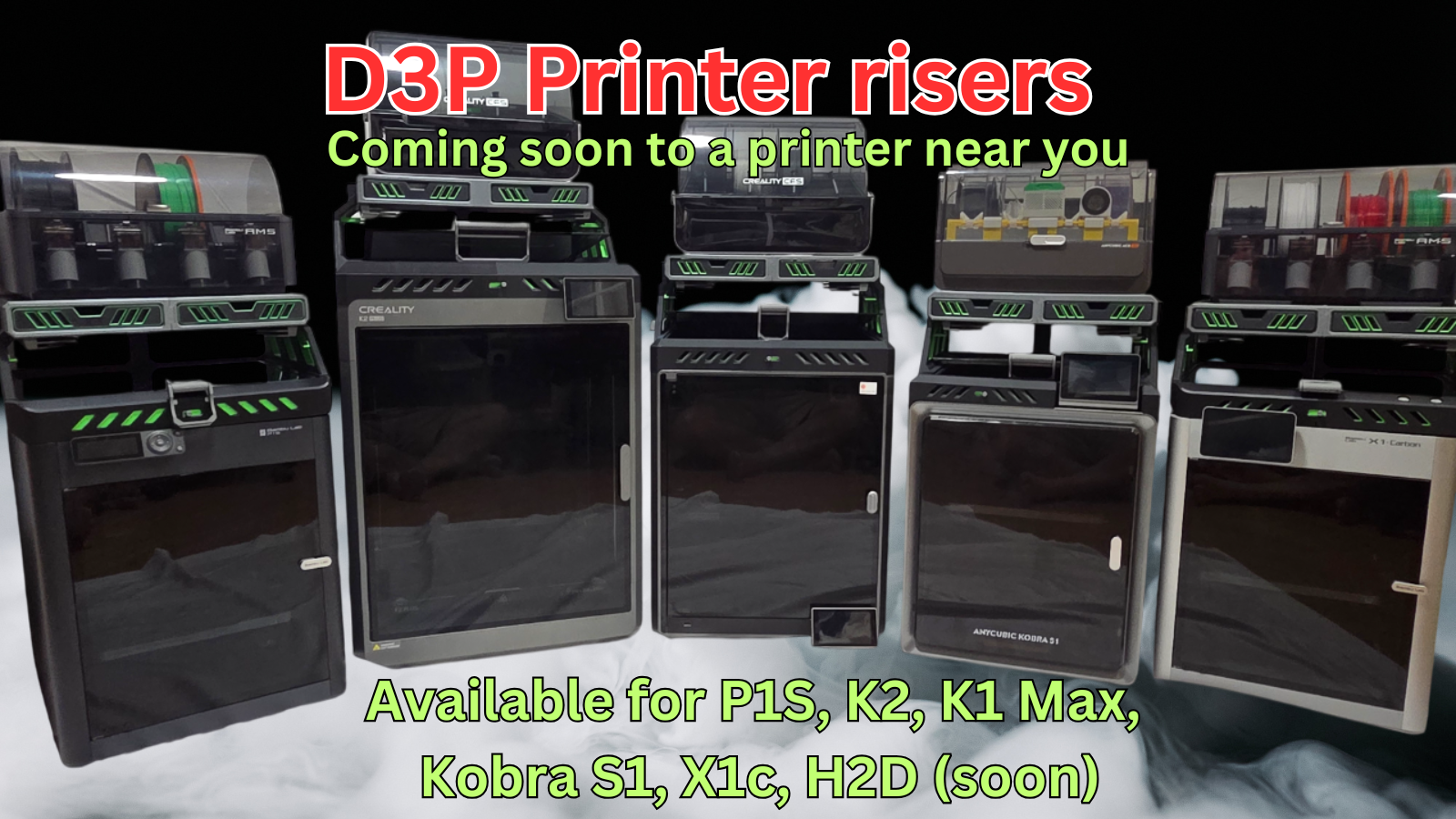
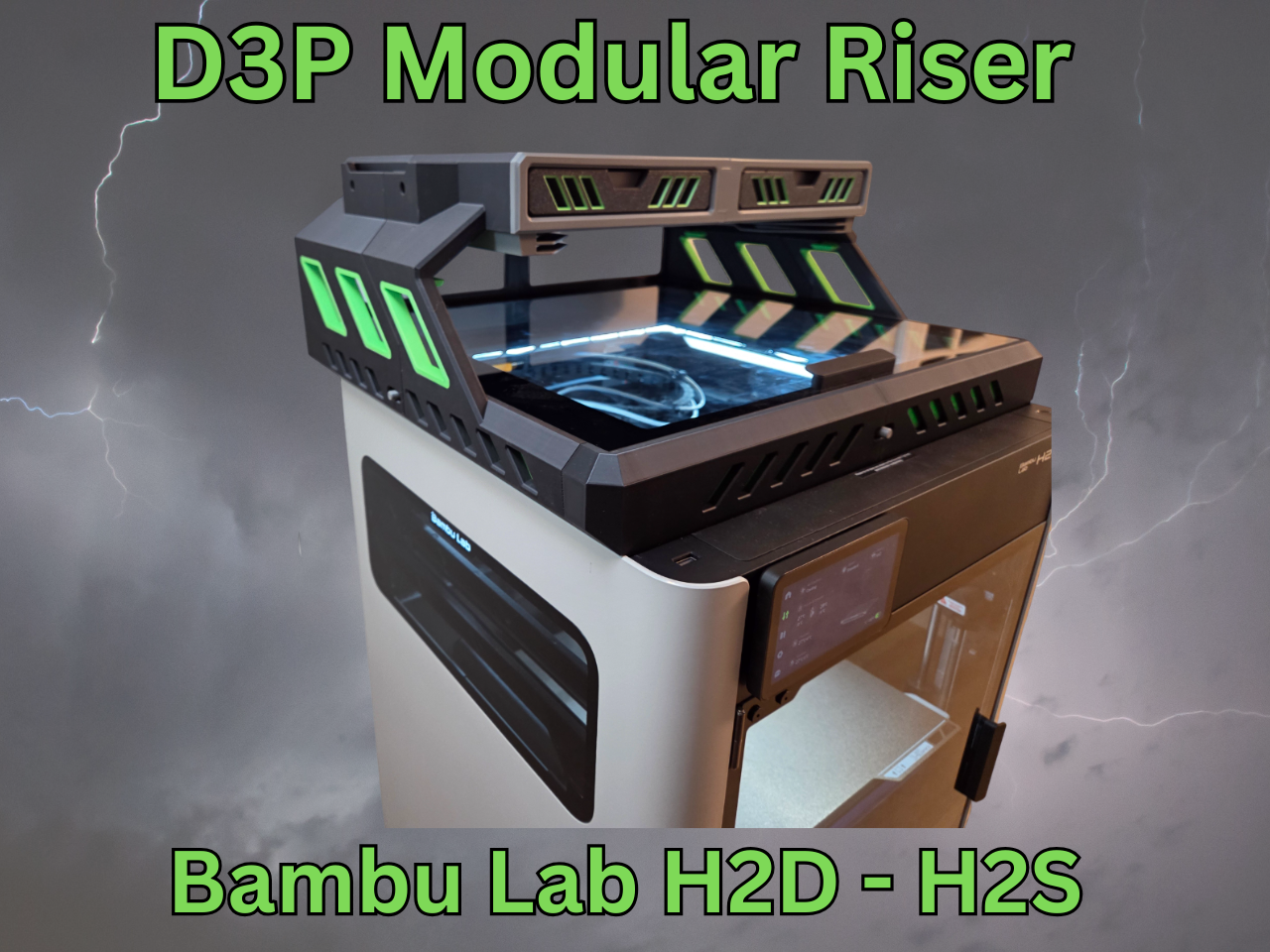
The D3P riser system is an innovative and modular riser system for your 3d printer. It features numerous free to download add-ons allowing you to customize your printer and riser like you want. The design of the D3P riser system is patent pending.
FEATURES
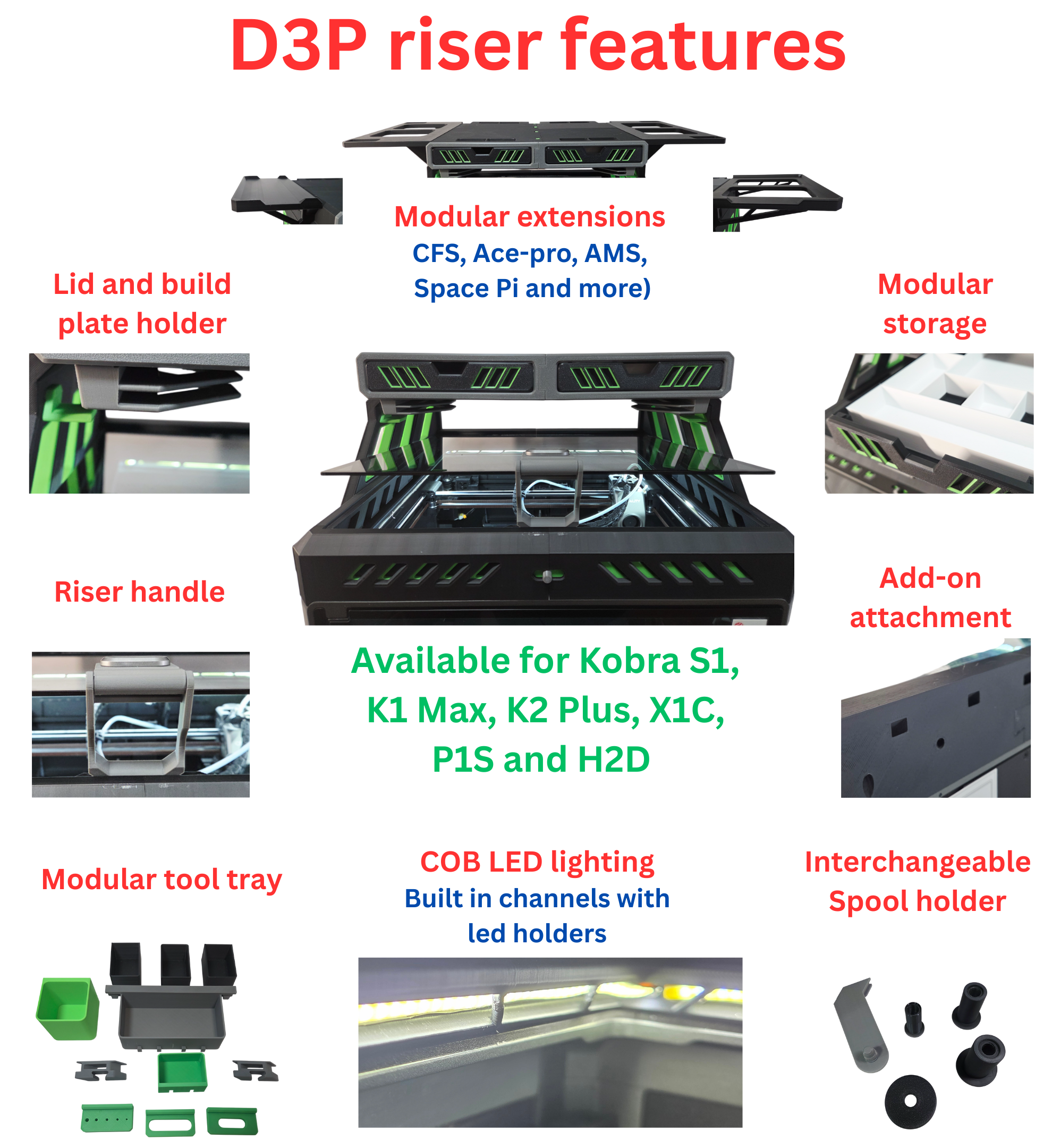
Features of the D3P riser system:
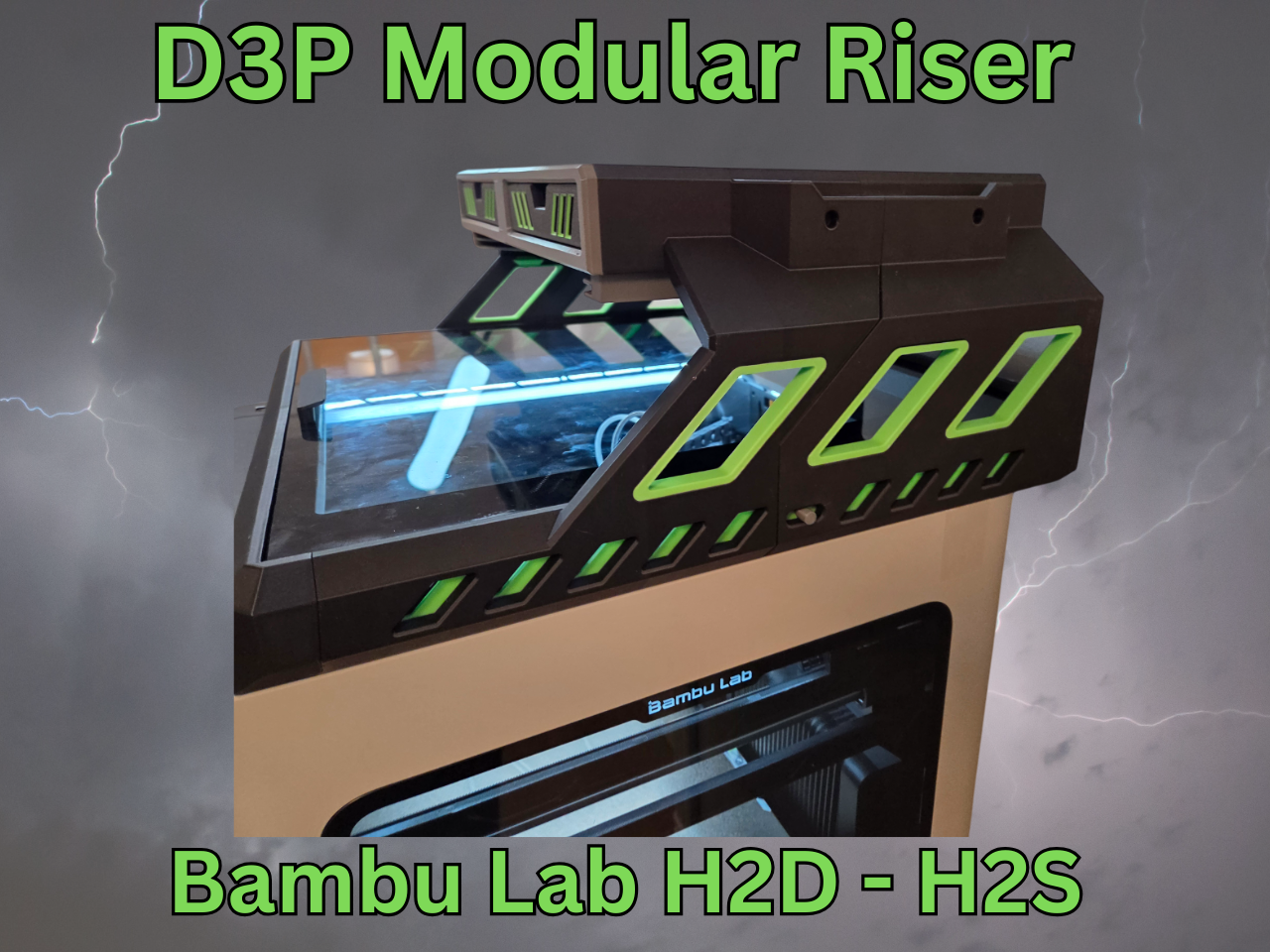
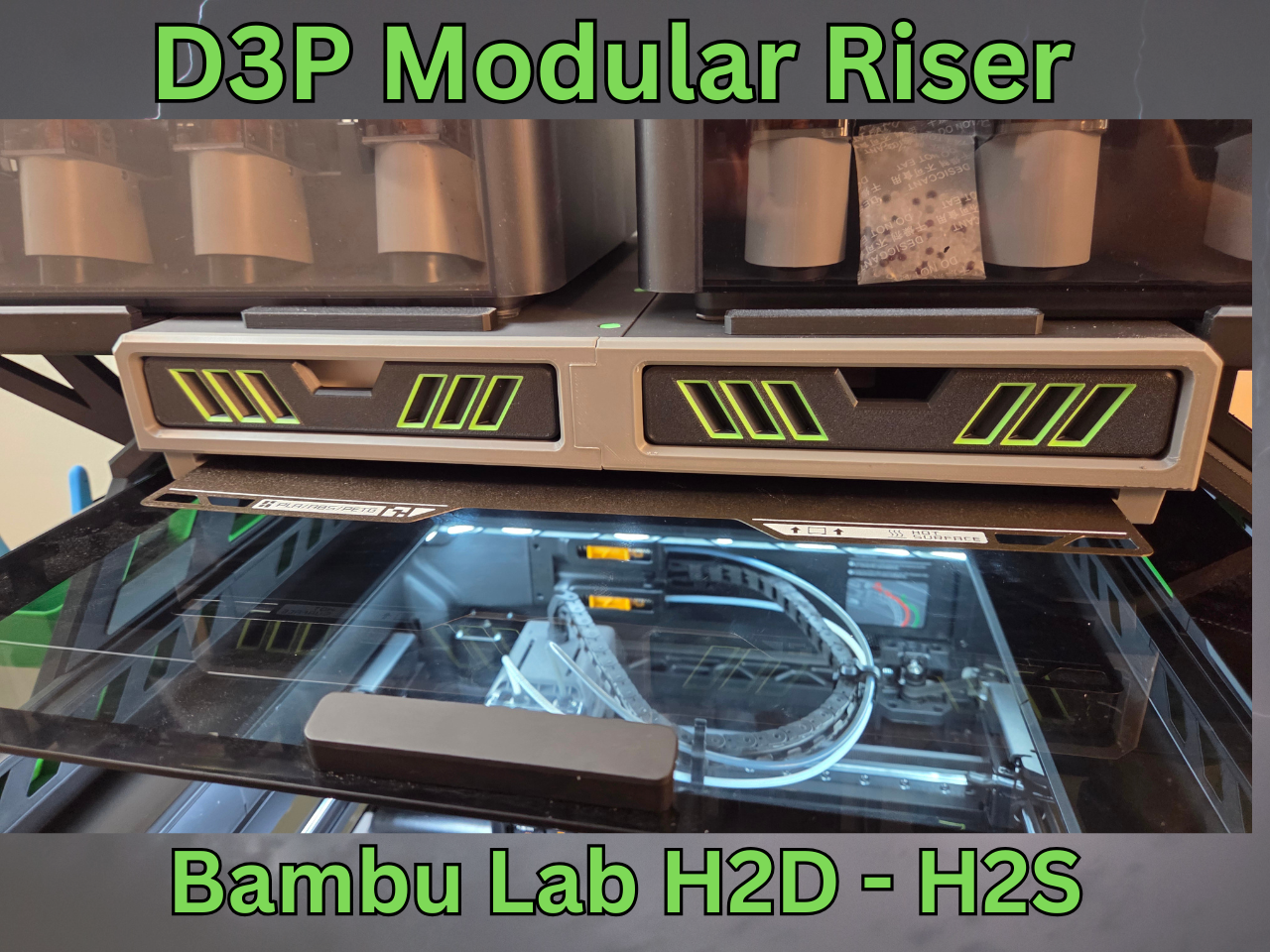
• Front and side adjustable vents;
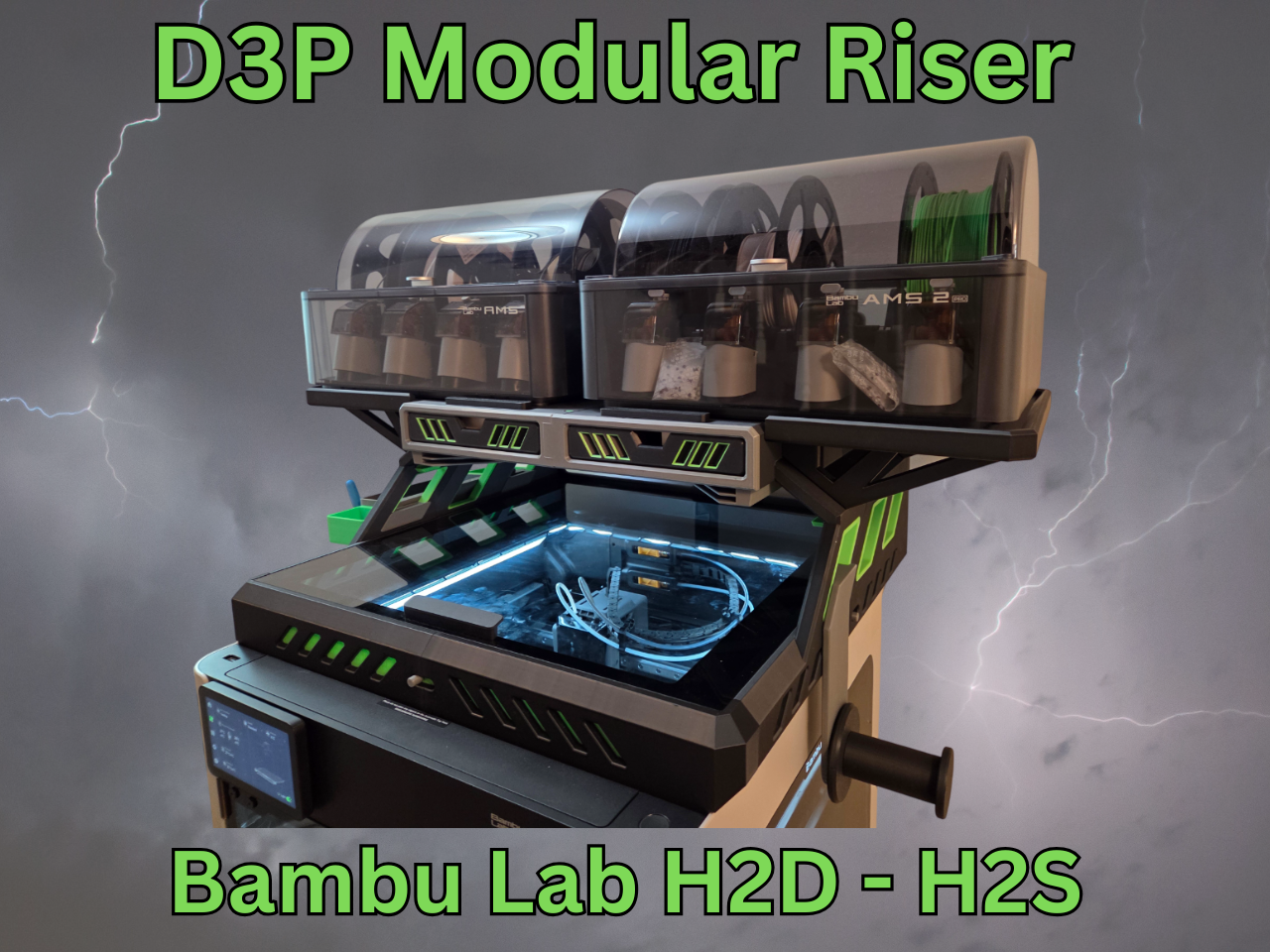
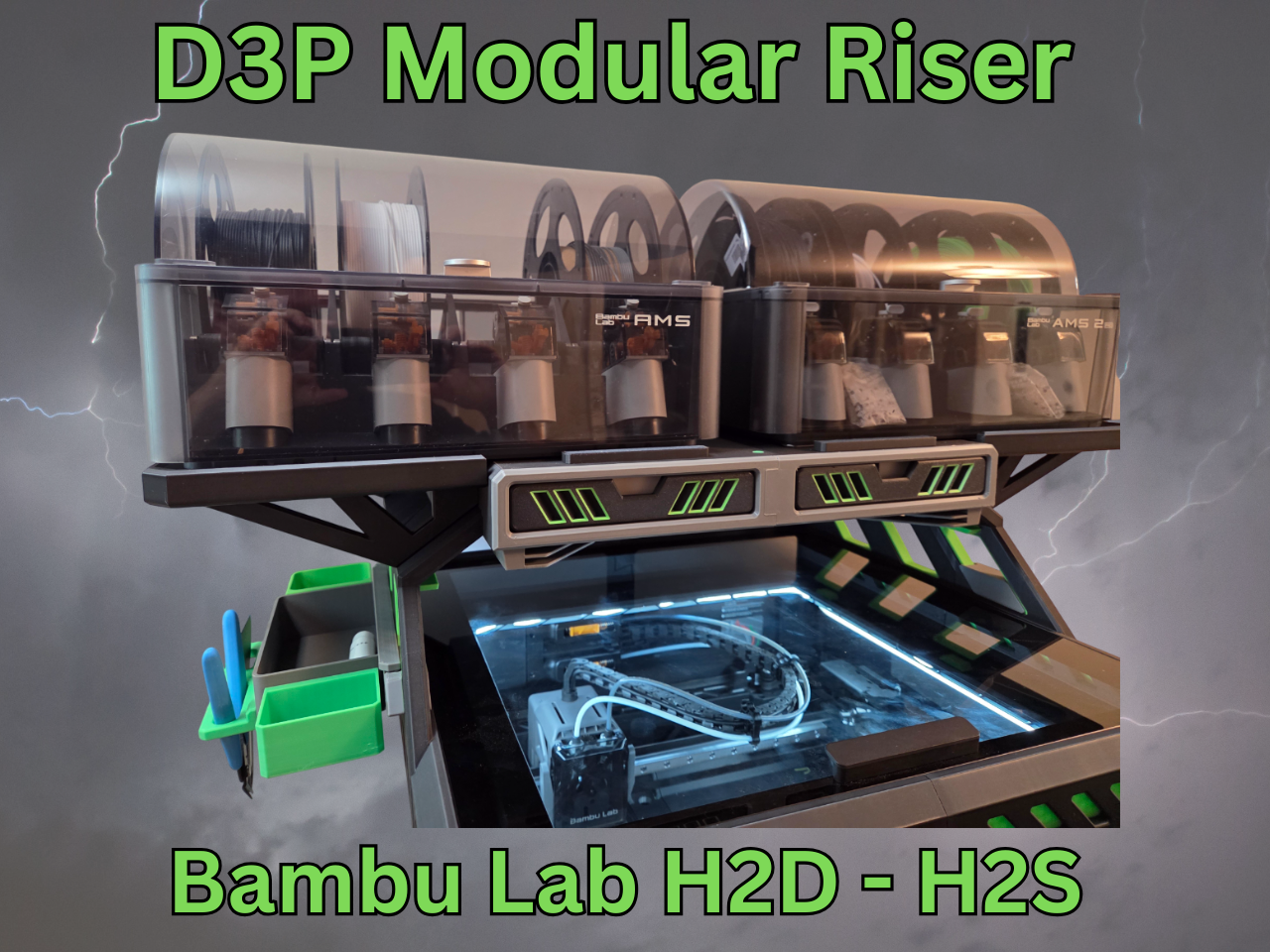
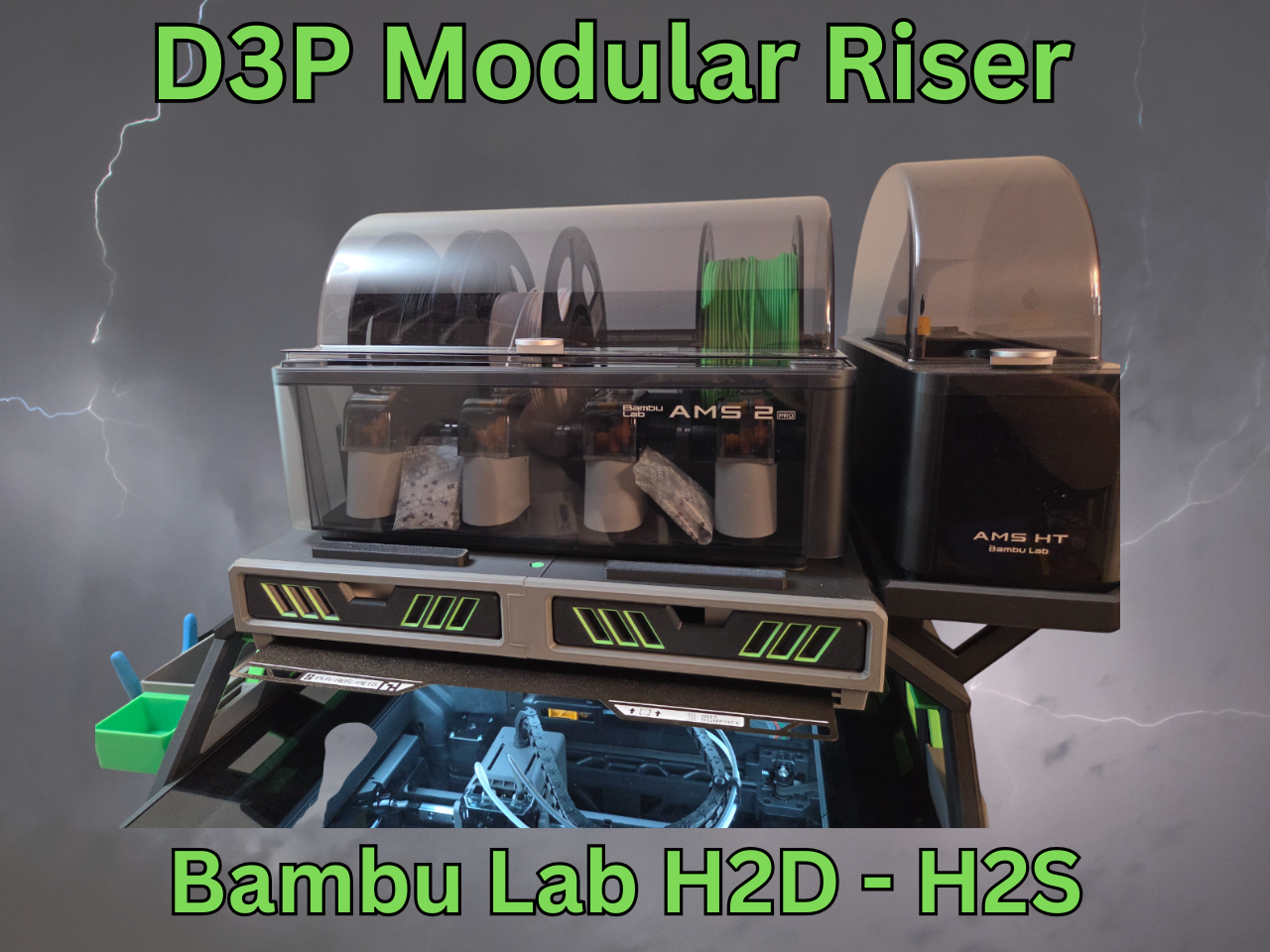
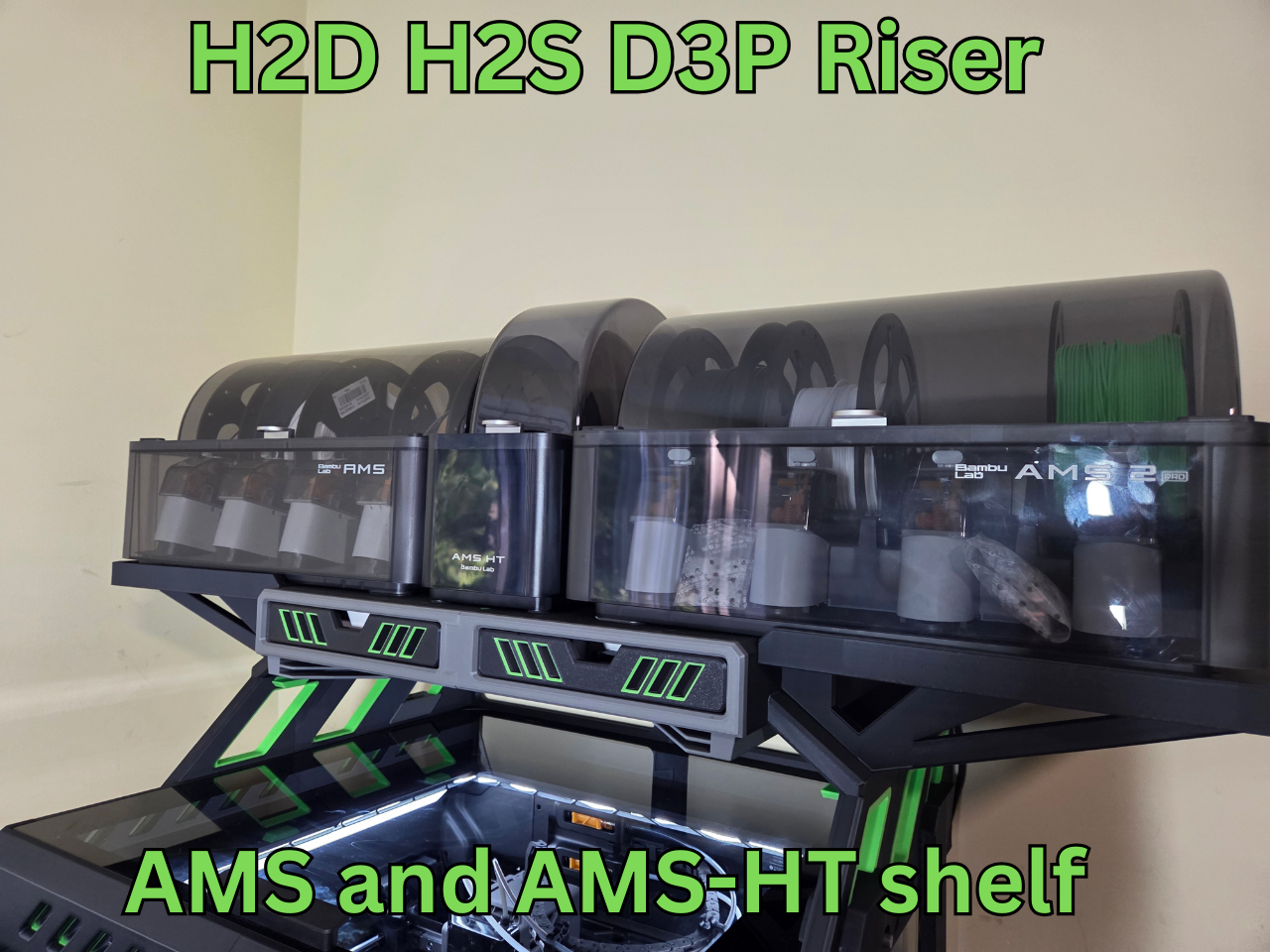
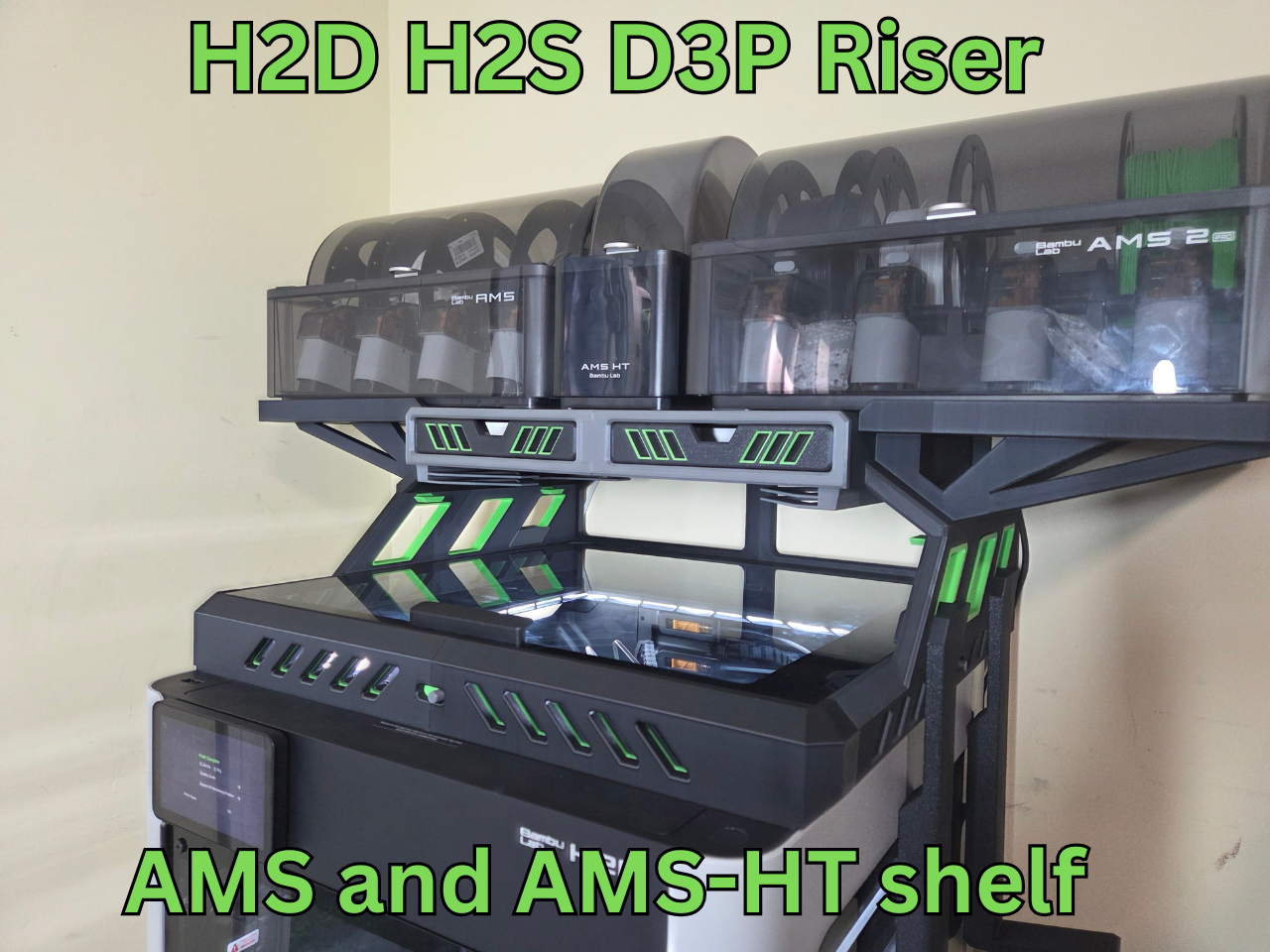
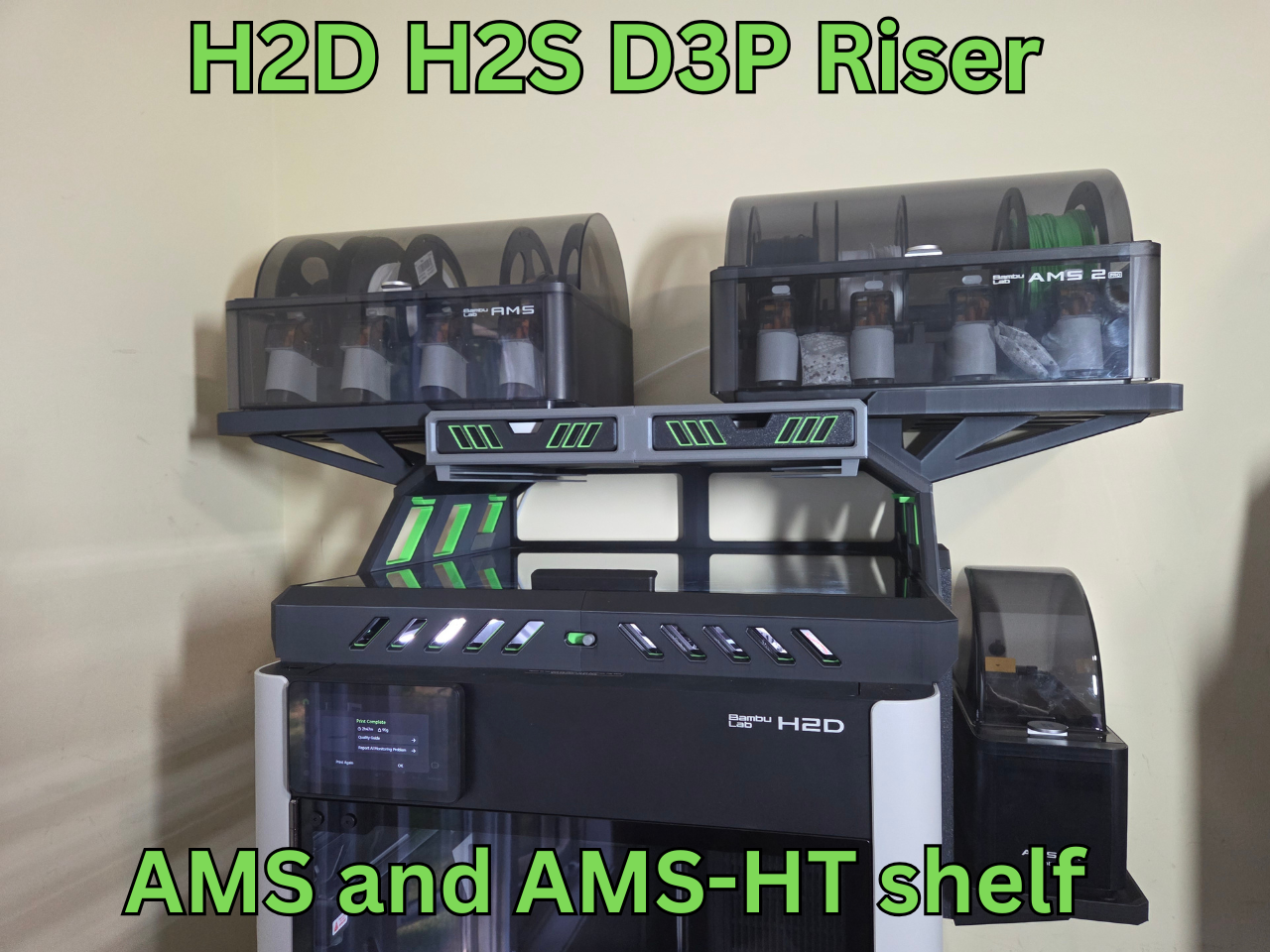
• Add-on extensions for dual AMS 1 or AMS 2 units;
• Innovative COB LED channels that feature brackets to secure the LEDS in place;
• Top unit is set back to allow easy access to the printer from the top;
• Sturdy and reinforced construction and design to prevent sagging;
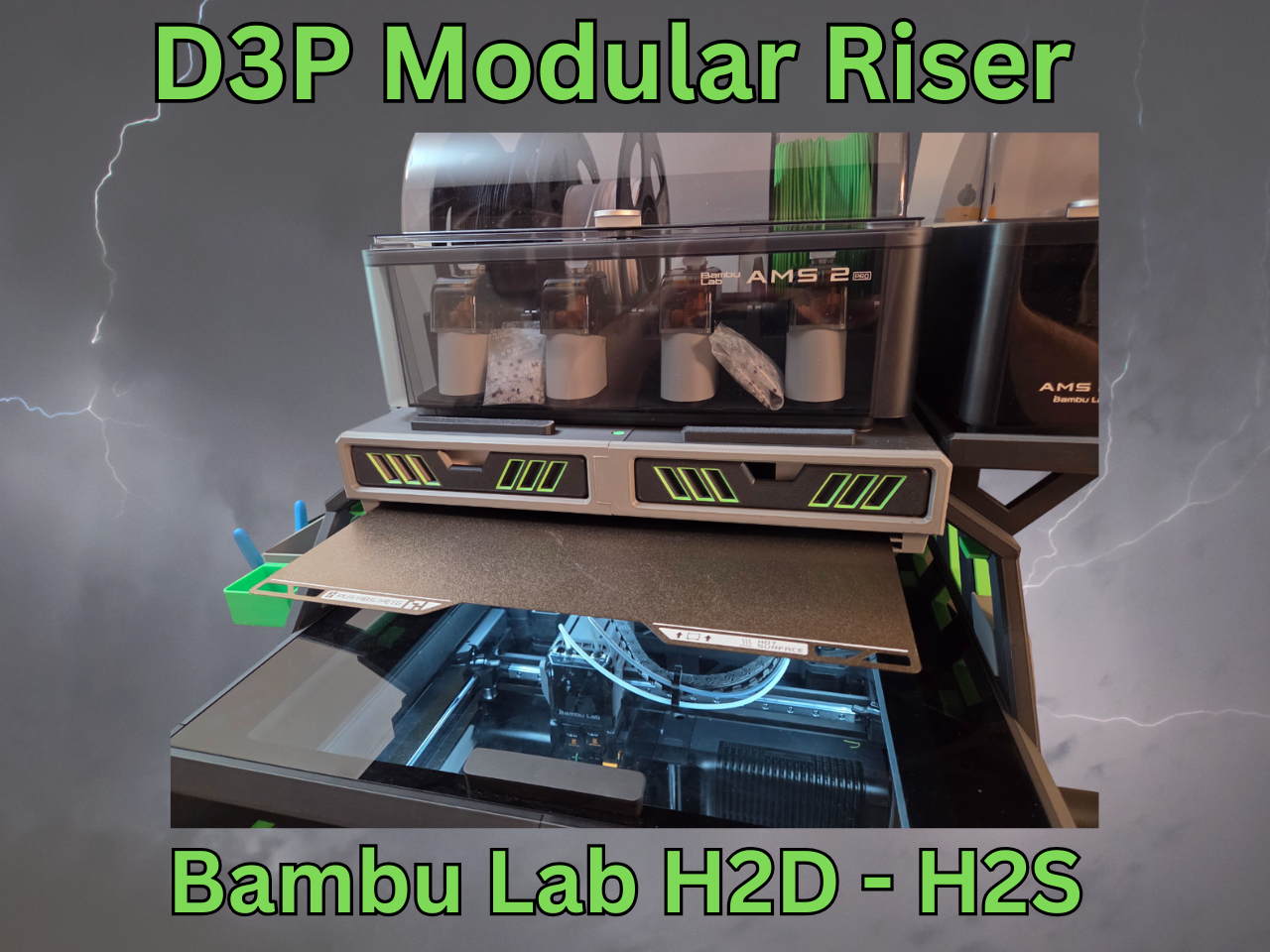
• Two large storage drawers with gridfinity style drawer inserts;
• Integrated build plate holder for two build plates;
• Integrated lid holders;
• Multiple add-ons such as a modular tool tray, interchangeable external spool holder and more to come;
• Detailed pdf instructions with pictures and steps;
• Printing requires little or no support.
INTELLECTUAL PROPERTY
This work is licensed under the standard digital file license. You are prohibited from sharing, sub-licensing, selling, renting, hosting, transferring, reproducing or distributing the digital file or 3d printed versions of this object, as well as any other derivative work in either digital or physical form (including remixes or copying/reproducing the design by any means).you are not allowed to use the objects in any manner that involves charging money or collecting fees without permission.
A patent has been filed for the D3P riser design and it is patent pending. I thank you for your understanding.
ADD-ONS
The model features a number of add-ons that are free to download on MakerWorld.
Multiboard side adapter addon-on. https://makerworld.com/en/models/2113394-h2c-h2d-h2s-d3p-riser-multiboard-adapter#profileId-2286661
AMS-HT TOP MOUNT TPU TRAY: https://makerworld.com/en/models/1925727-ams-ht-top-mount-tray-for-d3p-riser#profileId-2066674
Side mounted build plate holder for 8 build plates: https://makerworld.com/en/models/1909027-h2d-h2s-build-plate-holder-for-d3p-riser#profileId-2046933
Double AMS Riser stand for D3P Riser H2S, H2D - be sure to check out this new add-on by AppHero: https://makerworld.com/en/models/1818565-double-ams-riser-stand-for-d3p-riser-h2s-h2d#profileId-1940931
Drawer inserts:
https://makerworld.com/en/models/1260535-drawer-inserts-for-dual-ams-sidekick-stand#profileId-1284915
Interchangeable spool holder:
https://makerworld.com/en/models/1636867-interchangeable-spool-holder-for-d3p-riser#profileId-1729260
Modular tool tray:
https://makerworld.com/en/models/1636862-modular-tool-tray-for-x1c-and-p1s-d3p-riser#profileId-1729251
AMS 1 and AMS 2 shelf extensions (Also see model for AMS-HT unit in the middle):
https://makerworld.com/en/models/1783844-ams-shelf-extension-for-h2d-h2s-d3p-riser#profileId-1900476
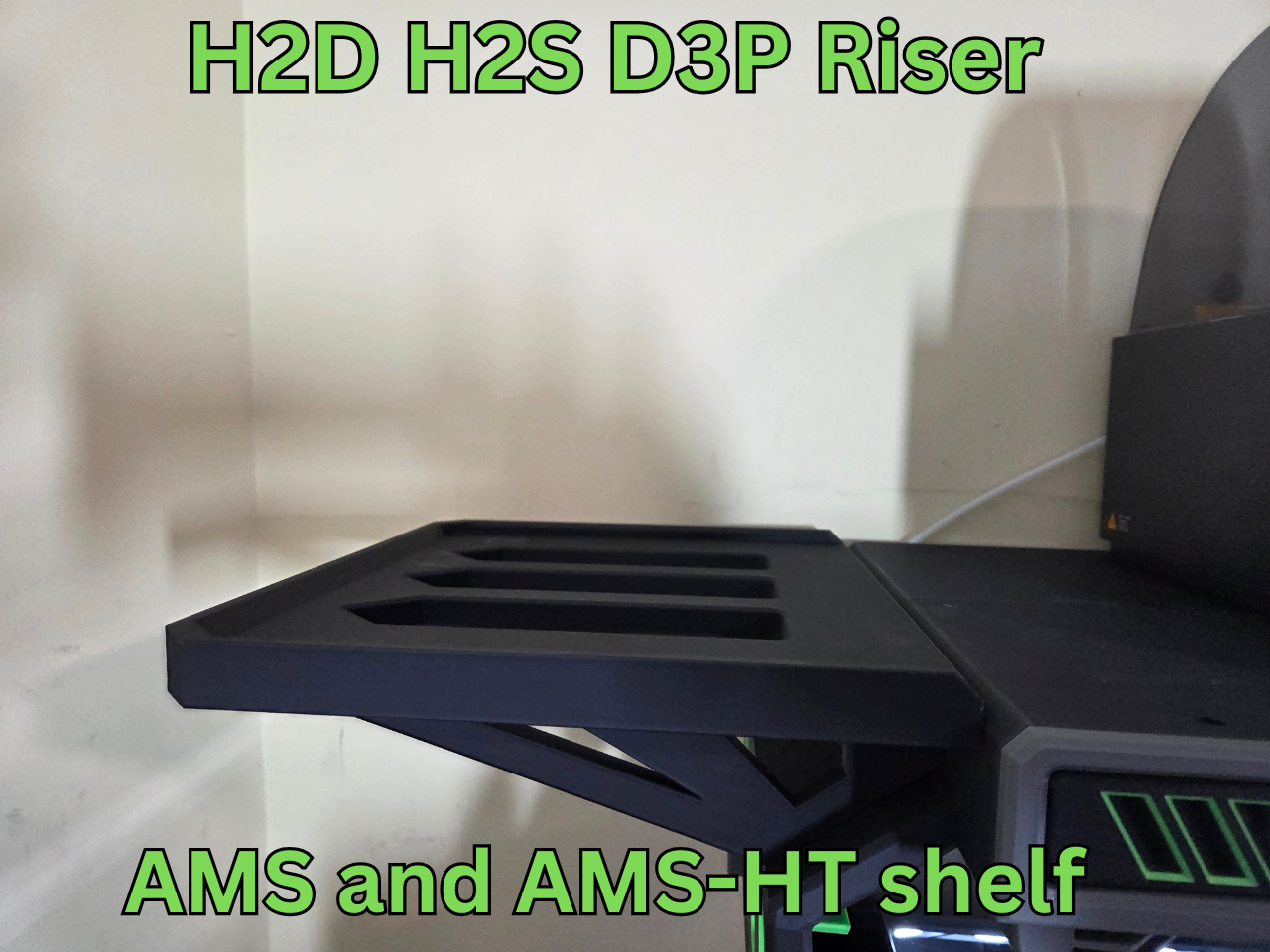
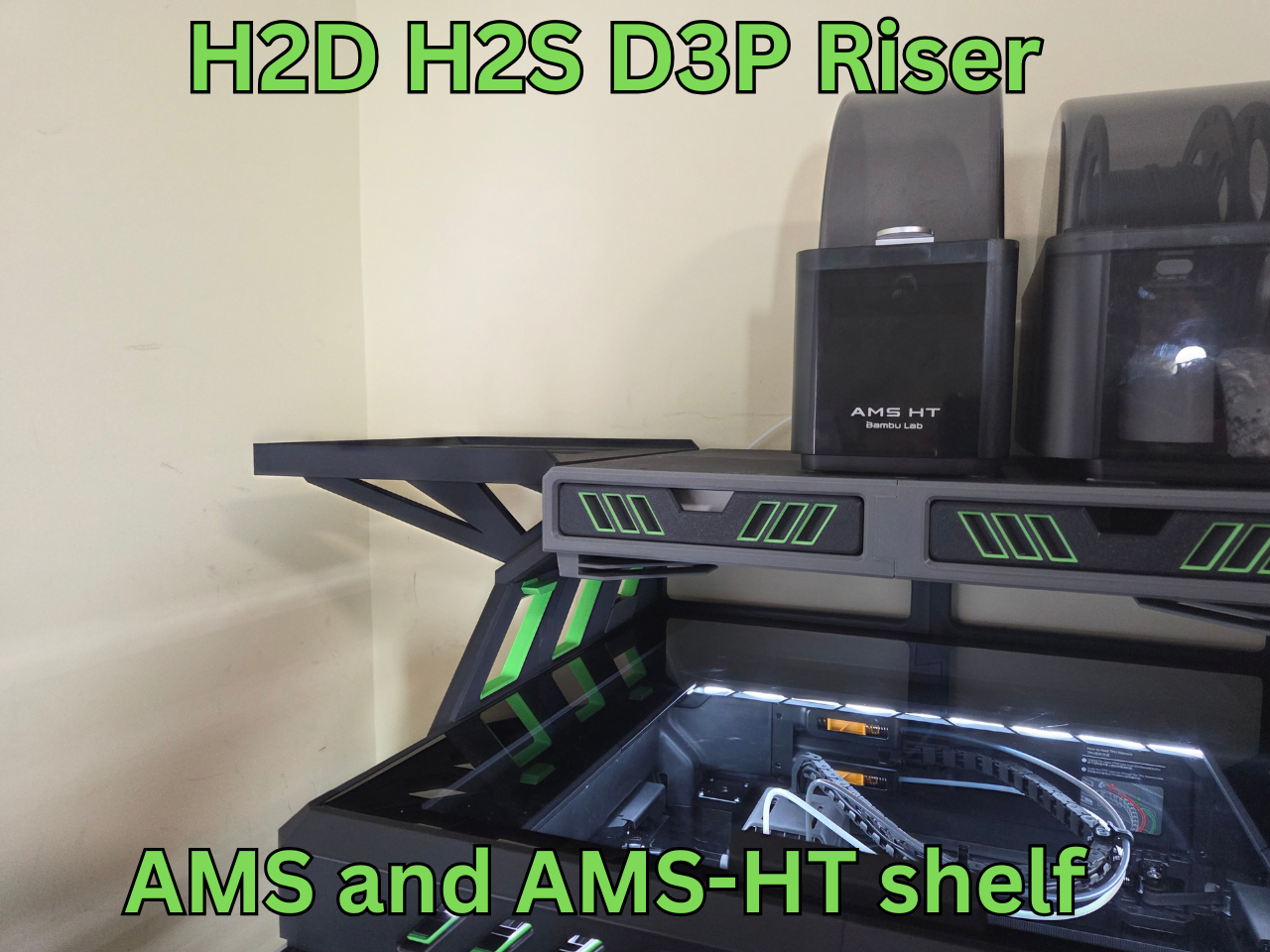
AMS 1 and AMS 2 shelf extensions and AMS HT (large than the regular AMS shelf extension to add an AMS HT unit in the middle):
https://makerworld.com/en/models/1786324-ams-and-ams-ht-shelf-for-h2d-h2s-d3p-riser#profileId-1903401
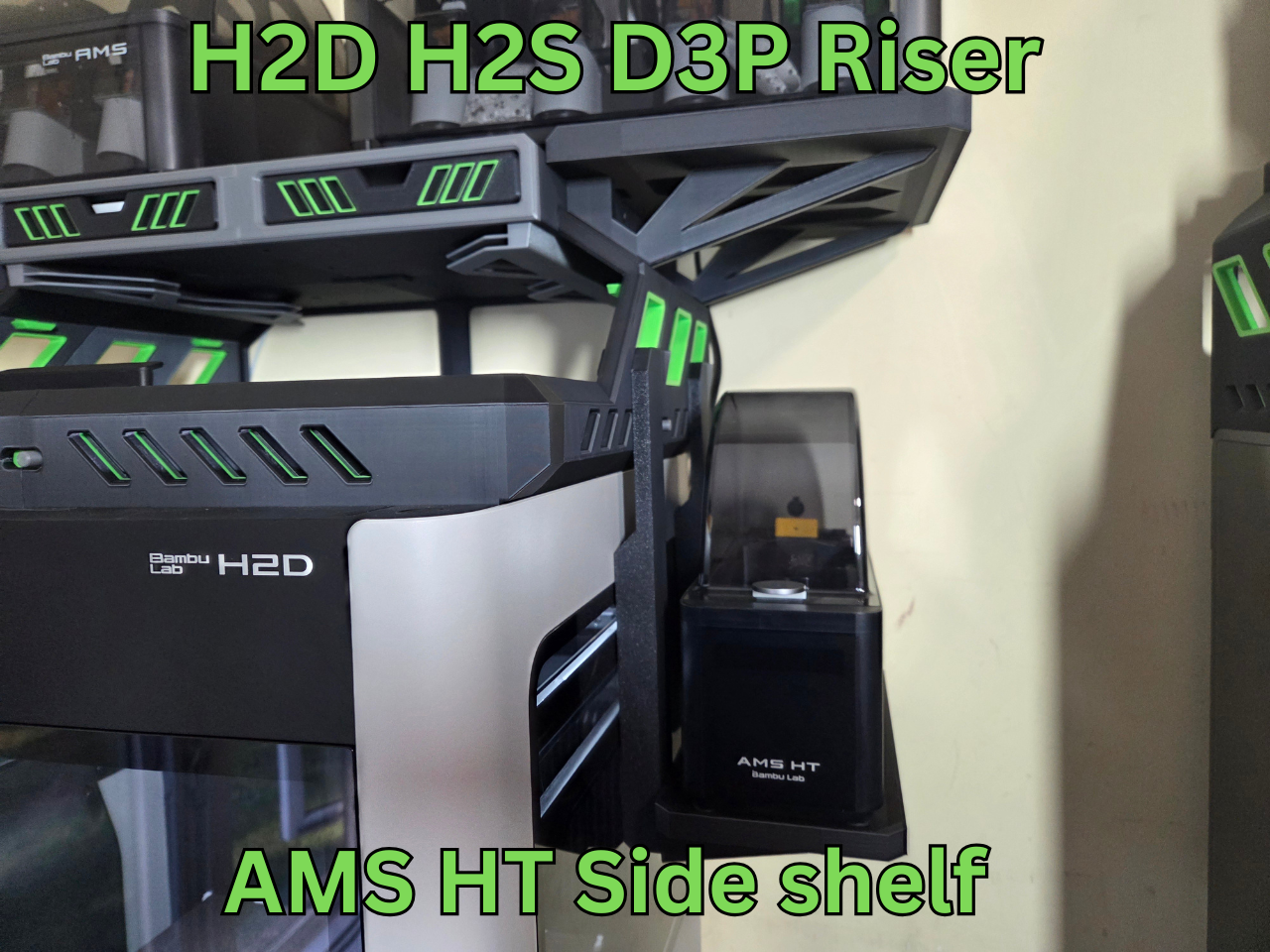
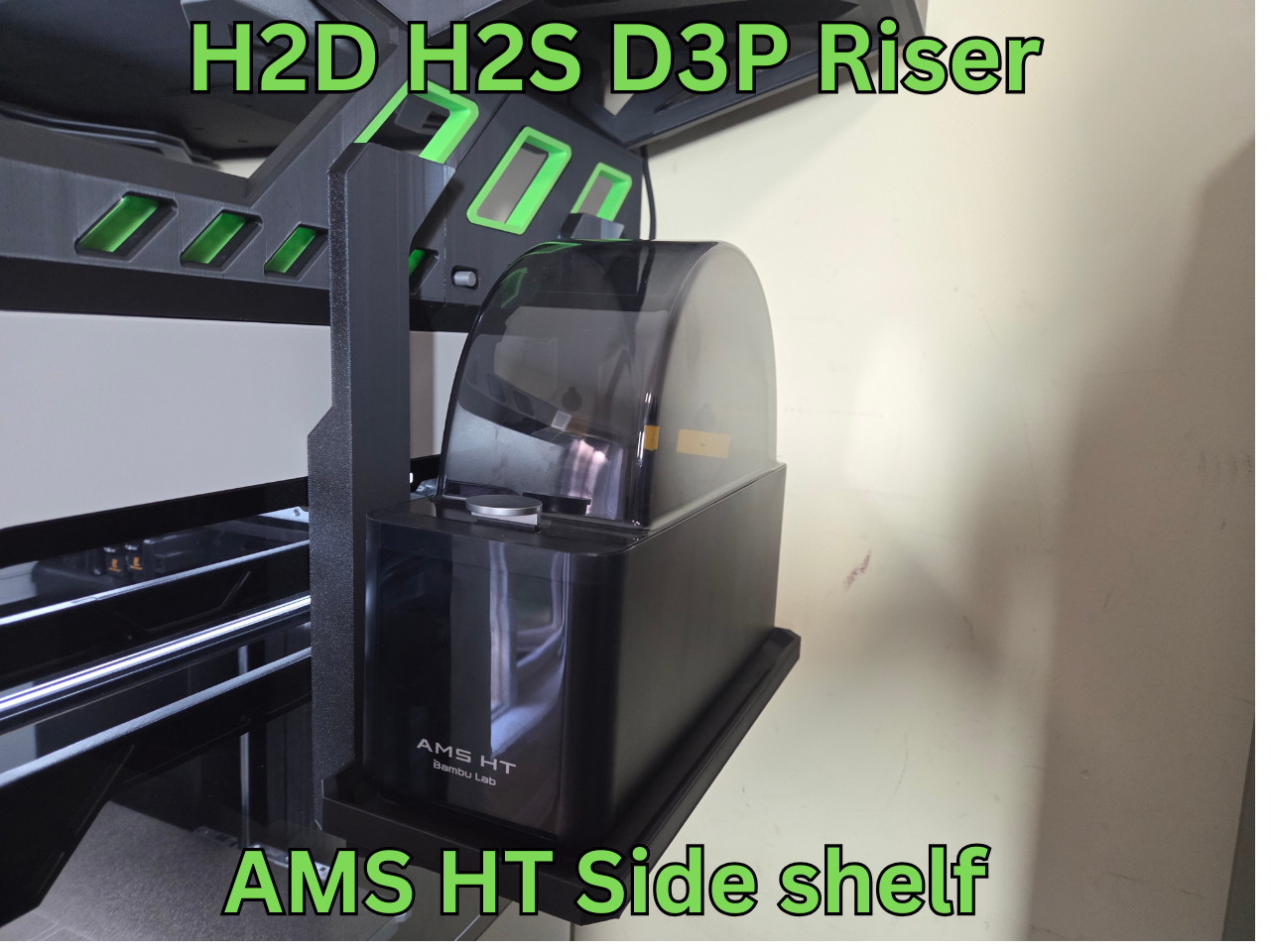
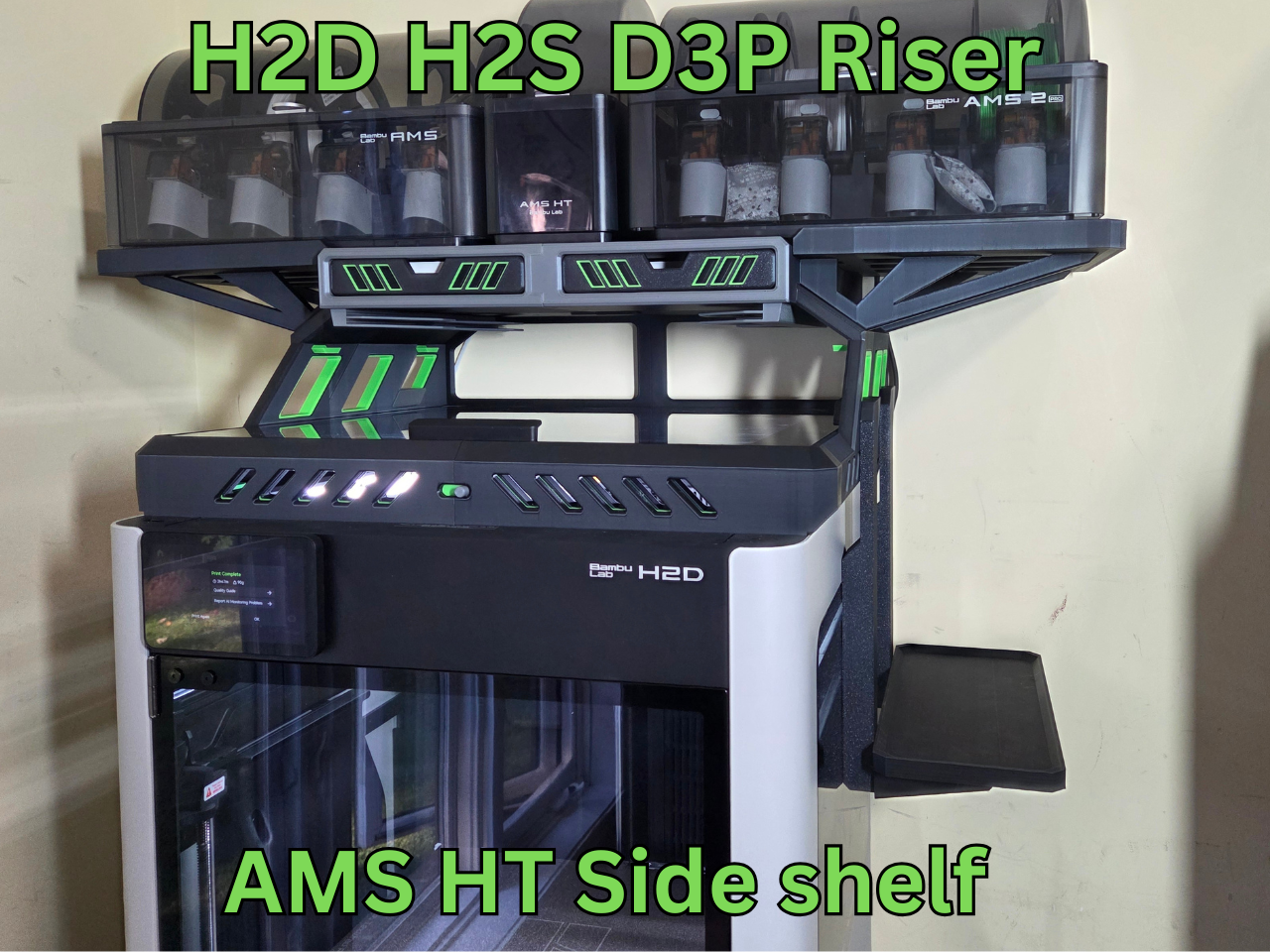
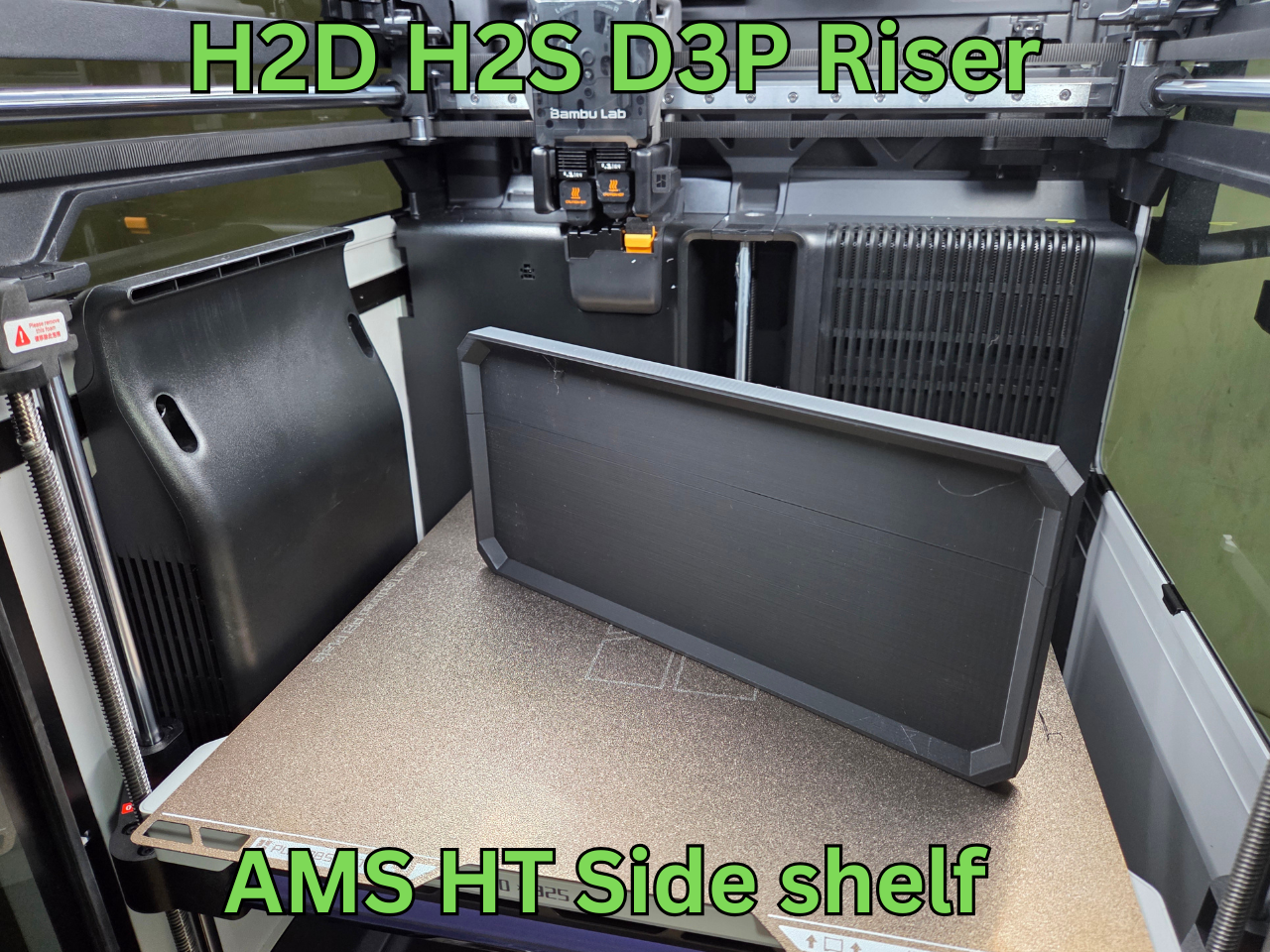
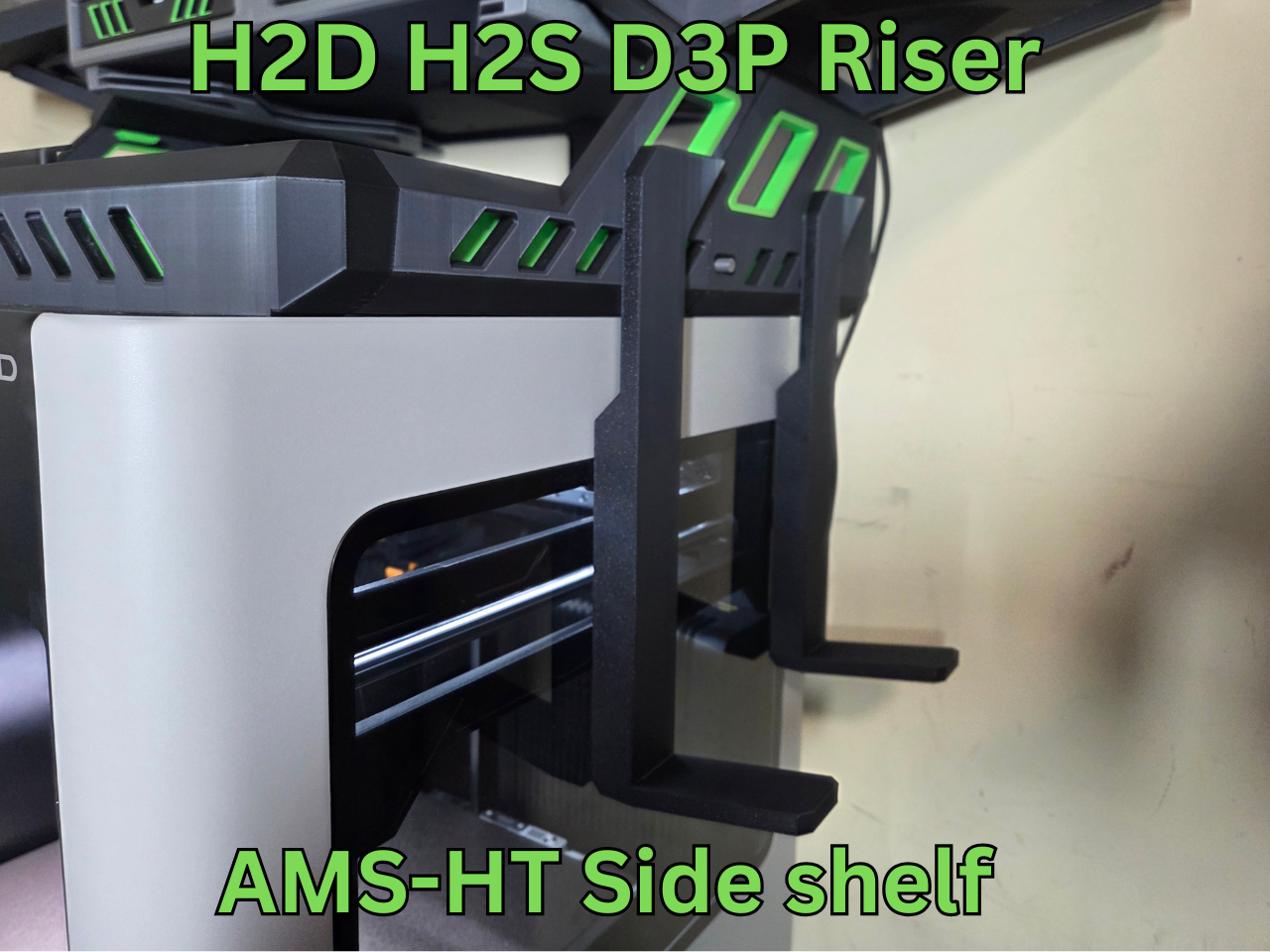
AMS-HT side shelf:
https://makerworld.com/en/models/1786335-ams-ht-side-shelf-for-the-d3p-riser#profileId-1903420
AMS HT - Single dryer extension shelf:
https://makerworld.com/en/models/1783851-ams-ht-extension-shelf-for-the-h2d-h2s-d3p-riser#profileId-1900485
Top mount spool holder for printing TPU: https://makerworld.com/en/models/1863254-tpu-top-mount-spool-holder-h2d-h2s-d3p-riser#profileId-1993163
AMS-HT FRONT MOUNT TRAY (For holding the AMS-HT when printing TPU) - see zip file AMS-HT TPU TRAY 2025-10-6 included with the model. Note: you may need to download again but there is no fee for this.
I will be adding to these so be sure to check back from time to time.
TECHNICAL SPECIFICATIONS
For the base riser:
Filament: 3.3 kg
Approximate print time: 3 days 23h
Height with closed AMS unit: 106 cm (42 inches)
Height with open AMS unit: 122 cm (48 inches)
LED strip
I am using an 8mm 5v 2 meter COBLED strip. I suggest you get a 1-1.5 meter extension preferable with an on-off switch. I also use an external power supply for it.
This is the link to the one I used: https://www.amazon.ca/dp/B0C89MFP3Q?ref_=ppx_hzsearch_conn_dt_b_fed_asin_title_2&th=1
LID OPENING
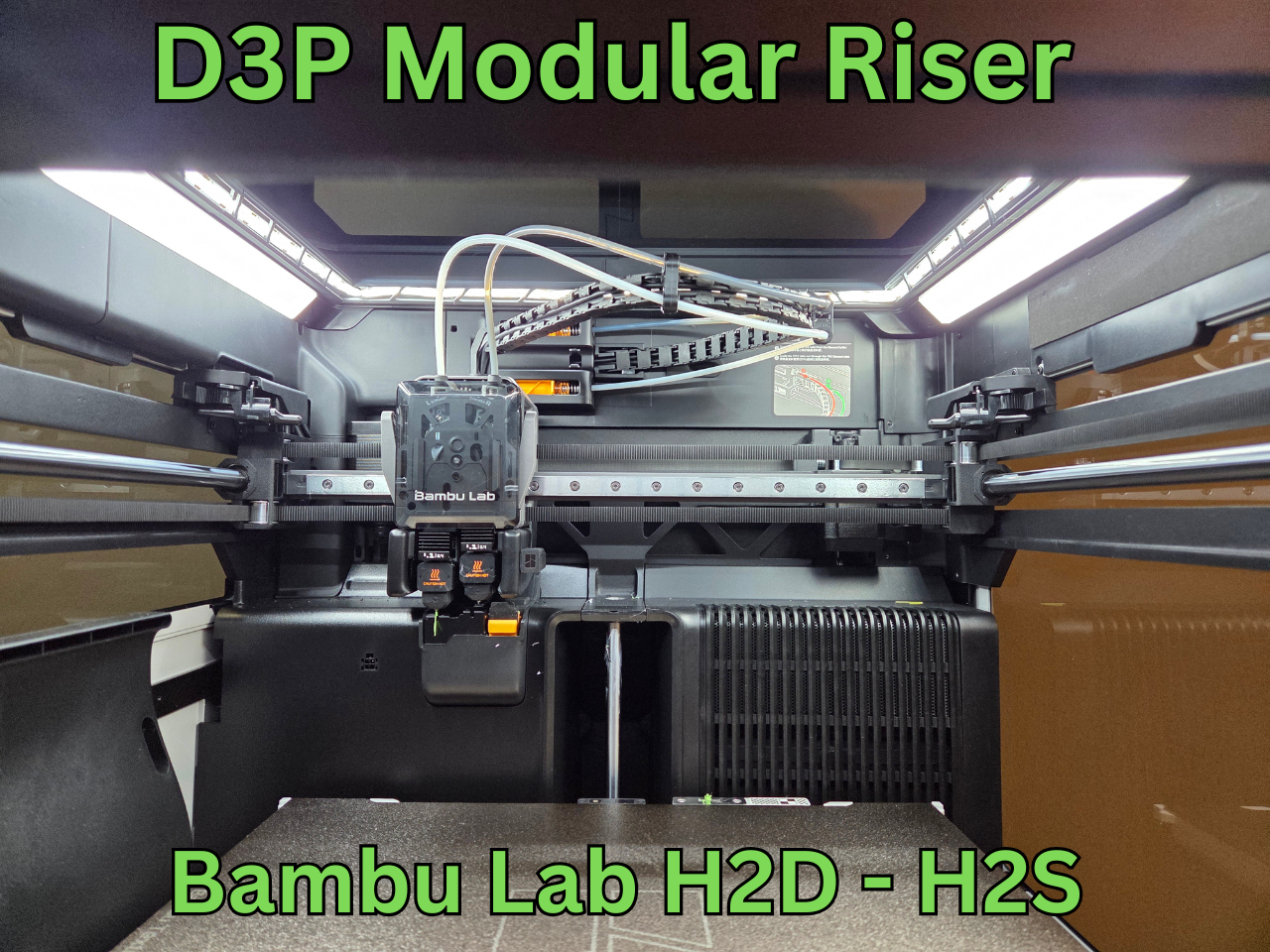
The laser uses hall sensors to detect if the lid is closed. There are magnets embedded in the front right and rear left of the lid. You can see their location if you look at the magnets on the lid. If you do not use the laser then a simple fix is to disable "door opening" on the printer (printer settings - print options - uncheck "door opening"). However, this will not work with the laser. To use the laser, you can embed in the foam gasket where the lid rests two 2x5 mm (approx) magnets in the position where the lid magnets are positioned (front right and rear left - but validate for your model as I only have the H2D).
PRINT SETTINGS
IMPORTANT I upload a print setting files for all my models. The print settings has the parts positioned for correct printing.
EACH BUILD PLATE HAS THE TYPE OF SUPPORT REQUIRED INDICATED ON THE BUILD PLATE DESCRIPTION (TREE AUTO, TREE MANUAL OR NO SUPPORT).
I strongly recommended you use my print setting file. If not, I will not be able to assist you if there is an issue when printing. From experience, many of the issues with printing my models are on account of users not using my print settings.
CHANGELOG
If there are any changes to the STL files or print settings I will list them here. I recommend looking at this section prior to printing as it is the only way I can inform users of changes.
3D PRINT SETTINGS
I use the following settings and materials to print this model:
Infill % : 15% (no need for more)
Nozzle diameter: 0.4 mm
Layer height: 0.2 mm standard
Material: I am often asked the question about the riser deforming when using PLA when printing ABS or ASA. I prefer PLA since it cheaper to purchase and easier to print. I print all my risers in PLA but I seldom print in ASA or ABS. I have some users that printed in PETG and some in ABS. Both will also work providing your printer can maintain tolerances. PETG may be preferable if you intend on printing higher temp materials on a regular basis.
ASSEMBLY AND INSTRUCTIONS
A detailed instruction and assembly guide with steps and pictures is available for download with the model files.
TROUBLESHOOTING
All parts and the assembly have been tested multiple times (both printing and assembly).
• Make sure your build properly cleaned and free of grease and oils before printing. This is the cause of adhesion.
• Make sure you use my print profiles/settings (the .3mf file that has multiple plates with all the parts) and that you enable support as indicated for each build plate on the build plate description.
• Filament and printer will affect tolerances however all should fit. If unsure proceed slowly and cautiously.
• If there are any changes I list them in a changelog on the model page. Please have a look at it prior to printing in the event there are any changes.
I am available to assist with any issues with this model.
The best way to reach me is through Facebook messenger – my user name is “Darren 3d print”.
I thank you for your support and hope you like this model.



:still()/https://fbi.cults3d.com/uploaders/15758717/illustration-file/c4bcece2-564f-4f94-a8f9-cf7f47f13ef7/Intro-gif.gif)
:still()/https://fbi.cults3d.com/uploaders/15758717/illustration-file/7133758b-4db9-46b2-9c1b-decef1fea086/intro.gif)
:still()/https://fbi.cults3d.com/uploaders/15758717/illustration-file/e7620d79-fb3e-45ba-993b-9a2ccabc4ef3/X1-dual-Gif.gif)
:still()/https://fbi.cults3d.com/uploaders/15758717/illustration-file/dacc9579-8608-4ed8-b2e8-afec8cac7ccb/P1-photo.gif)
:still()/https://fbi.cults3d.com/uploaders/15758717/illustration-file/fbbf1a3e-bcec-4708-a018-3df64100b379/Intro-gif.gif)