So I wanted to do two things with this :)
1 - I wanted to show how to use HelmetScaler when a helmet has multiple parts, combined or split pieces, and alternate options, and how to scale everything to your head for a perfect fit with all those extra parts.
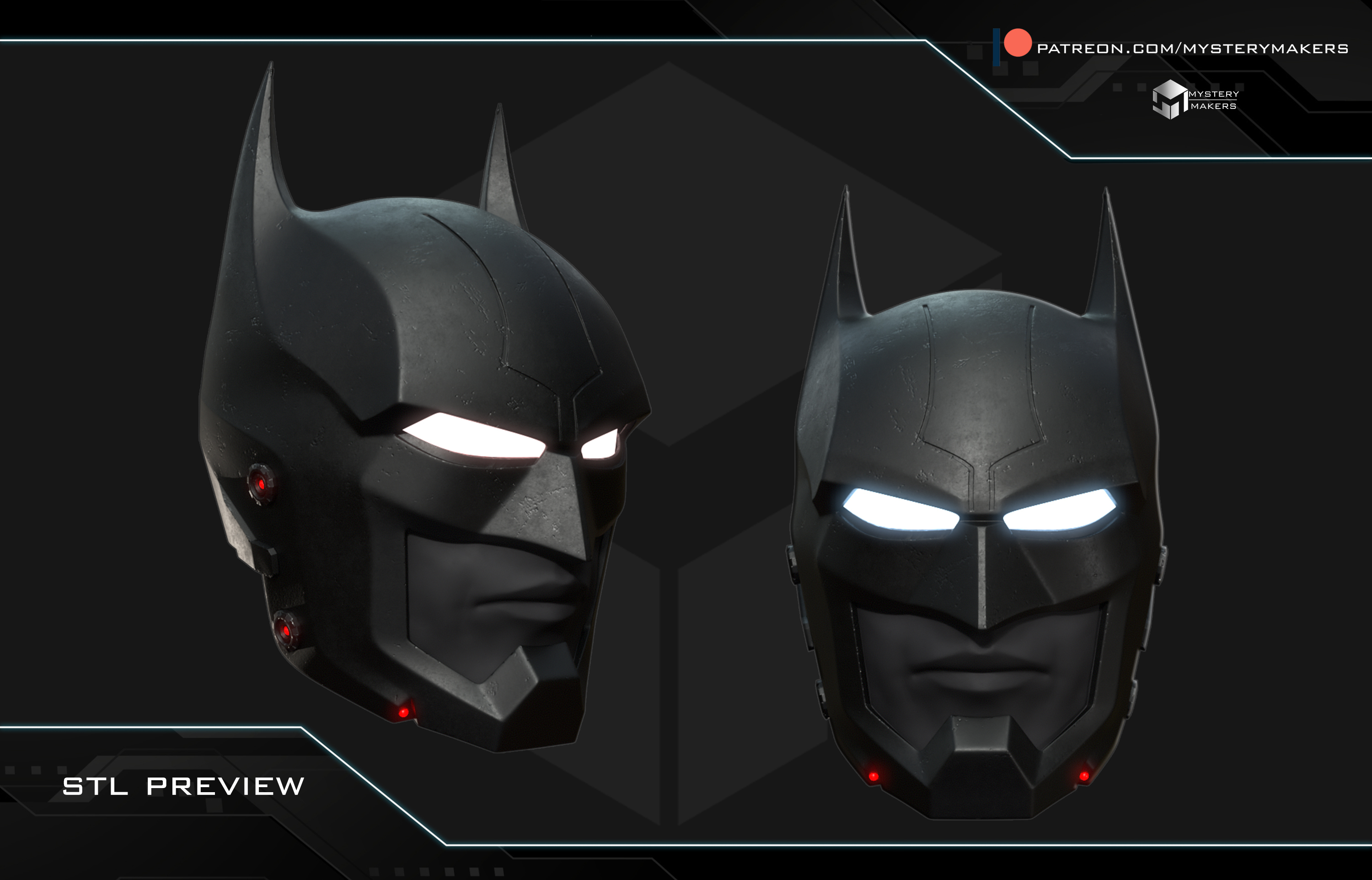
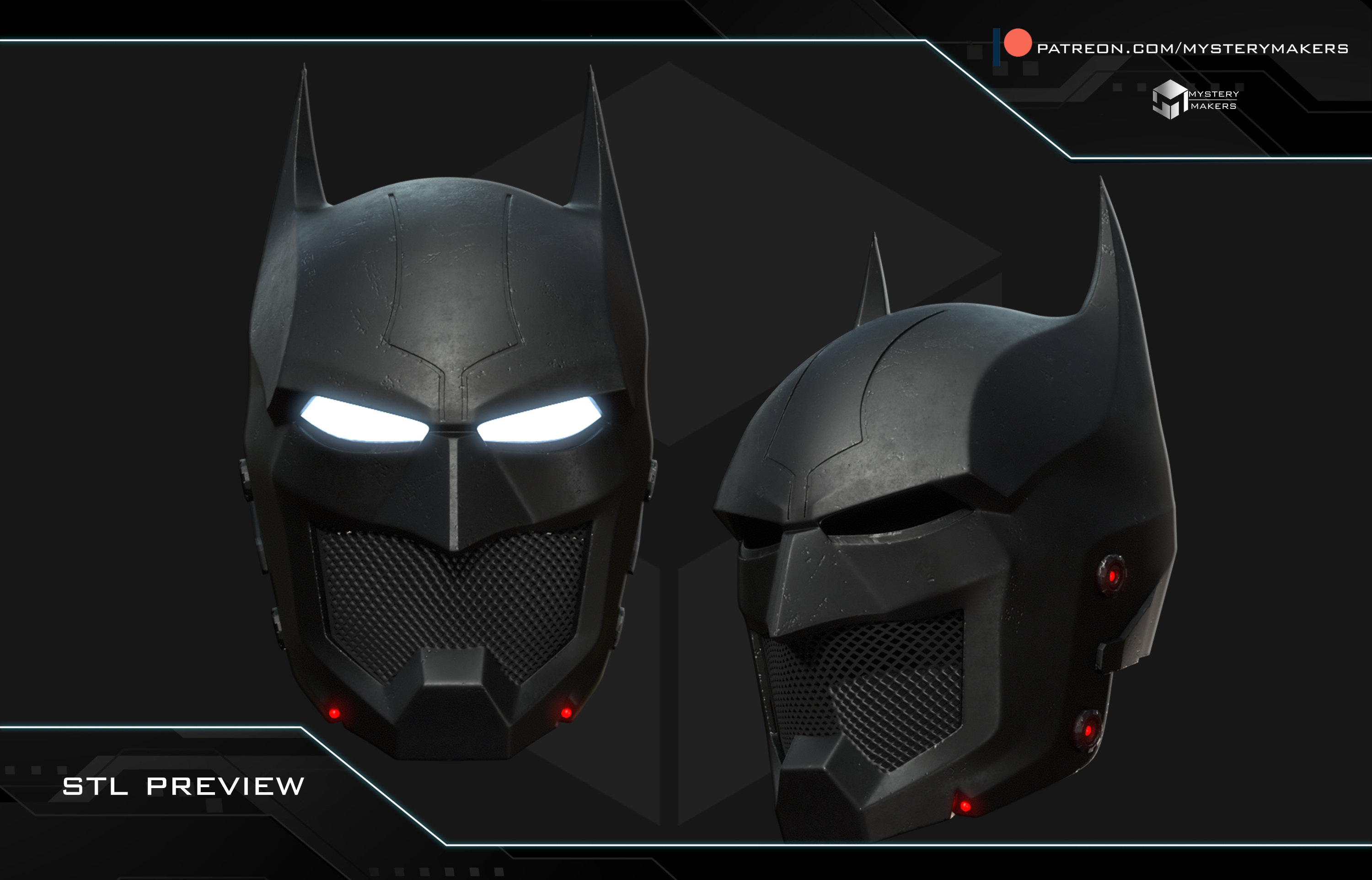
2 - I’ve never made a Batman cowl before, so I did some freeform sculpting and ended up creating a custom bat cowl :D
As you’ll notice in the photos, this cowl has several customization options.
There is an extra 3MF file with all parts grouped together specifically for HelmetScaler use. I’ll make a video explaining this soon as well.
There are three mouth options, or four if we count the empty option.
There are optional 4mm LED inserts.
There are optional eye LED inserts, the see-through ones.
The back part of the cowl can snap open using magnets, allowing for a tighter fit around the head.
To explain the HelmetScaler option, all possible parts are grouped together as if fully assembled in the 3MF file. What you want to do is remove the parts you don’t plan to print, then export the remaining model as a single STL to your desktop so you can use it in HelmetScaler and position however you see fit. After that, add it back into your slicer and use “split by object.” This gives you an easy and consistent way to scale every part you choose to print.
Helmet Scaler - https://helmetscaler.com/
Join our community and find out more at:
https://www.facebook.com/groups/3282336185171090
or follow me on instagram:
https://www.instagram.com/mysterymakers_3d/
If you like this model please consider joining my patreon. Lots of models each month and many rewards
https://www.patreon.com/mysterymakers







:format(webp)/https://fbi.cults3d.com/uploaders/14389286/illustration-file/1ab20423-aee6-4fec-8a81-96928d76b5e9/01-Mandalore-the-ultimate-half-mask.jpg)
:format(webp)/https://fbi.cults3d.com/uploaders/14389286/illustration-file/51a47ace-71e4-4a29-901c-1840a4db703f/01-Praetorian-guards-helmet.jpg)
:format(webp)/https://fbi.cults3d.com/uploaders/14389286/illustration-file/28d64b70-6e76-47ce-8c08-d30fc1b5f5af/01-Cobra-trooper.jpg)
:format(webp)/https://fbi.cults3d.com/uploaders/14389286/illustration-file/9c5bc0e5-de93-4744-b5a4-1de8bd44b272/01-Beaked-skull-mask.jpg)
:format(webp)/https://fbi.cults3d.com/uploaders/14389286/illustration-file/61db35c3-ea36-45d4-9be1-03e28e26ae9b/01-Slytherin-face-mask.jpg)
:format(webp)/https://fbi.cults3d.com/uploaders/14389286/illustration-file/5a5f59b3-f80d-4683-adc6-c0a1ced76b88/01-Mermaid-mask.jpg)
:format(webp)/https://fbi.cults3d.com/uploaders/14389286/illustration-file/af692c0c-fe6e-46cb-8407-b253735a158a/01-Sanguine-mask.jpg)
:format(webp)/https://fbi.cults3d.com/uploaders/14389286/illustration-file/1a9d1933-a0a1-4a24-8ffe-0facd41735f5/Paz-final.jpg)